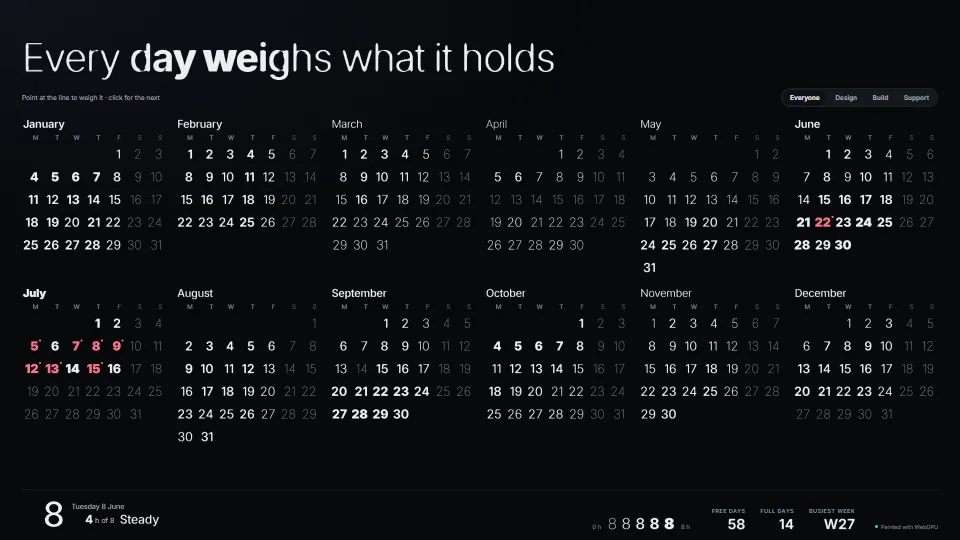
The live demo starts when it’s in view.Point at the headline to weigh it, click for the next · change the team and the year re-weighs · arrow through the days
One distance-field atlas holds a thin and a black cut of a typeface in its red and green channels, every glyph in the same fixed cell, so mixing the channels…
What it costs a frame
GPU
0.06 ms
CPU
0.69 ms
02468101216.7 ms
GPU
0.06 ms
CPU, median
0.69 ms
CPU, 95th pct
1.49 ms
Draw calls
0
Weight
Moderate
Measured 15 November 2026 on RTX 4060 Laptop, 13th Gen Intel(R) Core(TM) i9-13900H, Chrome 157, 1920×1080 at 1×. 600 frames × 3 rounds, median kept (rounds ranged GPU 0.06–0.06, CPU 0.52–0.90 ms). What ran: Measured with the demo running itself from its first frame: the team changes every 0.8 s (every day’s numeral, the month names and the weekday heads sweep to new weights across the year), the headline melts into its next line every 1.6 s, and a weight lens slides along it. About 500 marked elements, some 700 glyphs in one instanced draw. The overlay is driven from the demo’s update(), so CPU time is its frame (springs, placement, the batch) and GPU time its pass, from timestamp queries. Phones: tiers are being measured next.
apple · Apple A19 Proin a browser tab · 16 November 2026
4.03
1.62
2.16
Intel Arc 140V (Xe2-LPG) · Intel Core Ultra 7 258Vin a browser tab · 15 November 2026
0.20
0.94
1.84
Bars against one 16.7 ms frame. A browser-tab run is timed in a visible tab without the tool’s scripted input, so read it as close, not exact.
How steadily it runs on Intel Arc 140V (Xe2-LPG) · Intel Core Ultra 7 258V · in a browser tab
Typical frame ?
16.68 ms
1% low ?
48 fps
Varies by ?
±0.76 ms
All metricsIntel Arc 140V (Xe2-LPG) · Intel Core Ultra 7 258V · in a browser tabHow long each frame took. Most frames sit in the tall bars; a long tail to the right is hitching.
Frames run on a 60 Hz timer (a page demo), so most frames take about one tick, 16.7 ms: the spread around it is what matters.
Frames
Median (p50) ?
16.68 ms
p95 ?
17.64 ms
p99 ?
18.10 ms
Slowest ?
30.90 ms
Mean ?
16.77 ms
Standard deviation ?
0.76 ms
1% low ?
48 fps
0.1% low ?
32 fps
Hitches ?
0 of 600
Over budget ?
1 of 600
Main thread
Long tasks ?
0
Long frames ?
0
Event-loop delay ?
0.1 / 1.2 / 1.6 ms
Input
No input during this run. A browser-tab run plays none.
Memory
JavaScript heap ?
110 → 111 MB
Growth ?
+0.71 MB
What it needs
Renders with
WebGPUNeeds WebGPU: current Chrome and Edge, Safari 26+, Firefox 141+ on Windows.
Your browser
Checking…Looking for WebGPU
Depends on
NothingNo other packages
What it’s for
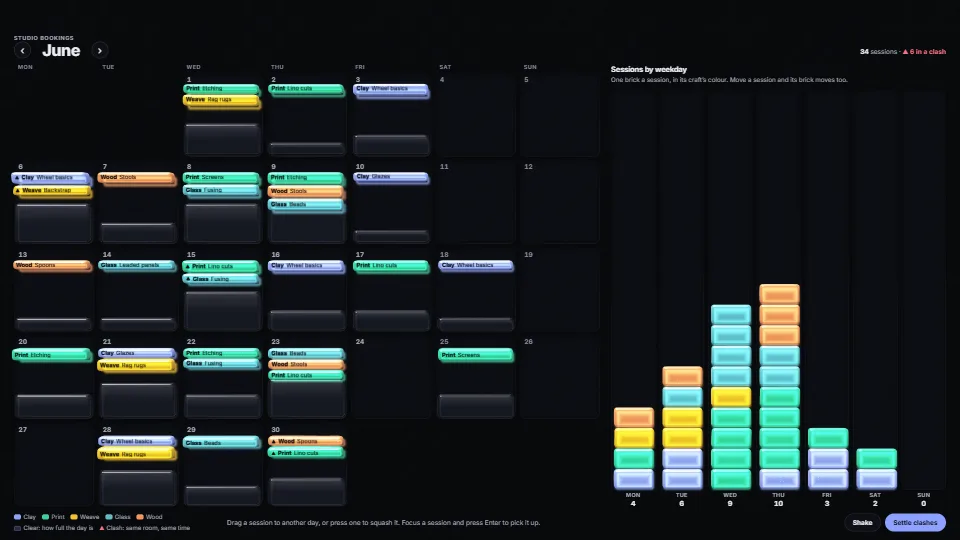
Calendars and timetables where each date weighs as much as the day holds
Tables and dashboards whose numbers carry their size or urgency in their weight
Headlines and hero type that melt into new words and swell under the pointer
Counters and scores whose digits morph instead of flipping
Any GPU-painted text that must stay real, selectable, searchable text for screen readers
Pitfalls, in brief
Mixing a thin and a black field is an approximation of the weights between: stems thicken about as the real instances do, but joins, terminals and counters are not the designed shapes.
Load the font before the atlas (createWeightAtlas waits for both cuts): a face drawn earlier is the fallback font, and atlas.fallback says so.
Canvas 2D cannot switch on OpenType features, so the atlas holds the default glyphs and widths: tabular figures, alternates and small caps on a marked element lay its DOM box out differently from the glyphs painted into it.
A marked element is one line (white-space: pre, display: inline-block): mark each line or word of wrapping text, not the paragraph.
The DOM box keeps the element’s data weight (data-wg-w sets font-weight through --wg-fw), not the animated or lensed one: selection and hit areas match the glyphs once they settle.
4 more in brief
Colours, sizes and rectangles are read when something changes (the element’s text, data-wg-w, class or hidden; a resize; a scroll inside the host; a theme switch on <html>), not every frame.
The canvas covers the host and does not scroll with it: never make the host itself the scroller.
Transformed elements (scale, rotate) are painted at their computed font size in their bounding box: leave transforms off marked elements and their ancestors inside the host.
The text fill is transparent only once the first frame is painted (the host gets .wg-on), and forced colours and a lost device take it away again: never hide marked text yourself, or a failure leaves a blank.
9 pitfalls in full, the hook-up guide, the module source and its tests come with the part.
Where it comes from
From HaTac, and in the planner showcase. Fully custom code.
Inter, by Rasmus Andersson and the Inter Project Authors: The demo’s typeface (the library site’s bundled Inter Variable, SIL Open Font License 1.1): the atlas draws its weights 100 and 900. The module ships no font; NOTICE.md has the licence.
Chris Green, Improved Alpha-Tested Magnification for Vector Textures and Special Effects (SIGGRAPH 2007): Text drawn from a signed distance field in a texture: the technique the atlas and its shader use.
Felzenszwalb & Huttenlocher, Distance Transforms of Sampled Functions (2012): The exact Euclidean distance transform the fields are built with (sdf.ts, copied from sdf-text).
Mark Jarzynski and Marc Olano, Hash Functions for GPU Rendering (JCGT 2020): The PCG hash the demo’s invented year is seeded from.
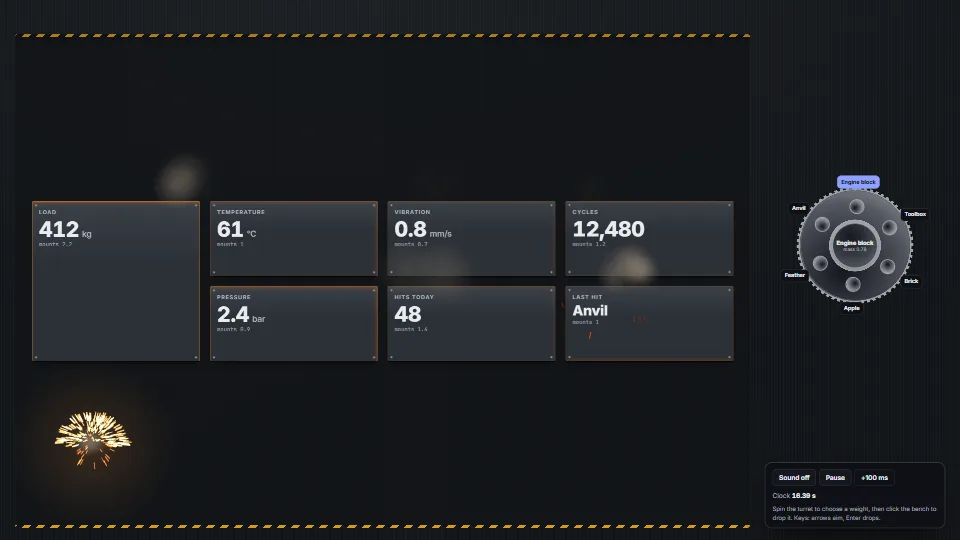
One event, felt everywhere: impact({ x, y, mass }) makes every [data-body] element dip, rock and ring down on its shock mounts by its distance and its own…
 UI & interaction
 UI & interaction
 UI & interaction
 UI & interaction