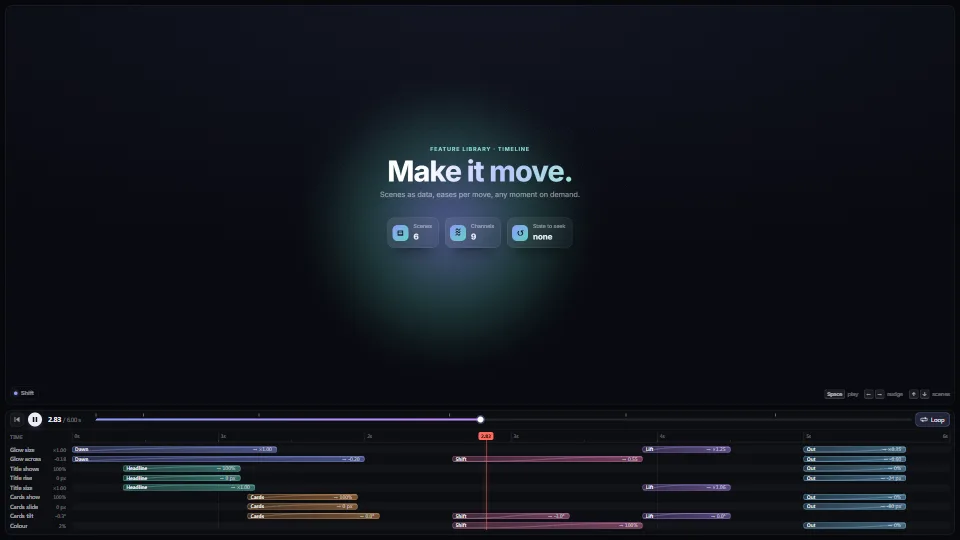
The live demo starts when it’s in view.Drag a bar, or its end to time it (Alt: no snap) · Space plays · arrows nudge
Scenes as plain data ("move these channels to these values over this long, with this ease"), any moment worked out on demand with no state, and the editor that…
What it costs a frame
CPU
0.08 ms
02468101216.7 ms
GPU
not used
CPU, median
0.08 ms
CPU, 95th pct
0.13 ms
Draw calls
0
Weight
Light
Measured 7 November 2026 on 13th Gen Intel(R) Core(TM) i9-13900H, Chrome 156, 1920×1080 at 1×. 600 frames × 3 rounds, median kept. What ran: Measured playing in a loop: each frame works out all nine channels from the scenes (no state kept between frames), the cards three times over for their stagger, writes the scene’s styles and moves the two playheads and the live values. Nothing is laid out again. Phones: tiers are being measured next.
apple · Apple A19 Proin a browser tab · 16 November 2026
not timed
0.16
0.42
Intel Arc 140V (Xe2-LPG) · Intel Core Ultra 7 258Vin a browser tab · 15 November 2026
not timed
0.23
0.37
Bars against one 16.7 ms frame. A browser-tab run is timed in a visible tab without the tool’s scripted input, so read it as close, not exact.
What it needs
Renders with
DOM and CSSPlain DOM and CSS: every current browser.
Your browser
Runs hereNo WebGPU needed
Depends on
NothingNo other packages
What it’s for
Intros, splashes and title sequences
Product tours and onboarding
Motion and video editors
Scripted UI choreography
Cut-scenes and game sequences
Data stories
Effects in a live show that must look the same after a jump back
Pitfalls, in brief
A move starts from where its channel is when it starts, worked out once when the timeline is built: build it again (timeline(def)) after every edit, or later moves start from stale values.
Two moves of one channel that overlap: the later one takes over from wherever the earlier one had got to.
Dragging a bar moves its whole scene (every lane it touches); its right end changes the scene’s length, or only that move’s when the move sets its own over.
outBack overshoots past its target (by about 10%): clamp channels that must stay in range (an opacity, a colour mix) where you use them.
The lane editor and transport read time() every frame but write only when it changed: keep the clock outside them (a Clock, a video’s currentTime, an audio clock) and they follow it.
5 more in brief
Space and the arrows are taken only inside the element you pass as keys, so the page still scrolls; give it a tabindex and focus it on click.
Import timeline.base.css before timeline.css: the base lays out the rows, bars, playhead and scrub and sets the drag cursors; the other is only the look.
An effect draws from its phases’ progress alone: no “where it got to”, no random numbers drawn per frame, no time-based motion that builds up.
A phase runs once on a timeline (0 before its clip, 1 after).
Make every effect up front with effectRuntime (where a GPU renderer can warm it), and hide it while its phases rest (all 0 or all 1: resting()), rather than making and removing it as its clip comes and goes: that is a stall on the frame it appears.
10 pitfalls in full, the hook-up guide, the module source and its tests come with the part.
Where it comes from
From SpaciousPro. Fully custom code.
Robert Penner, easing equations: The cubic in, out and in-out curves and the back ease (its 1.70158 overshoot) are the well-known forms of his equations.
animationkeyframestimelineeasingscrubbingeditordrag and dropsnappingeffectseffect phasesfamily:phaseprogressdeterministicno dependencies
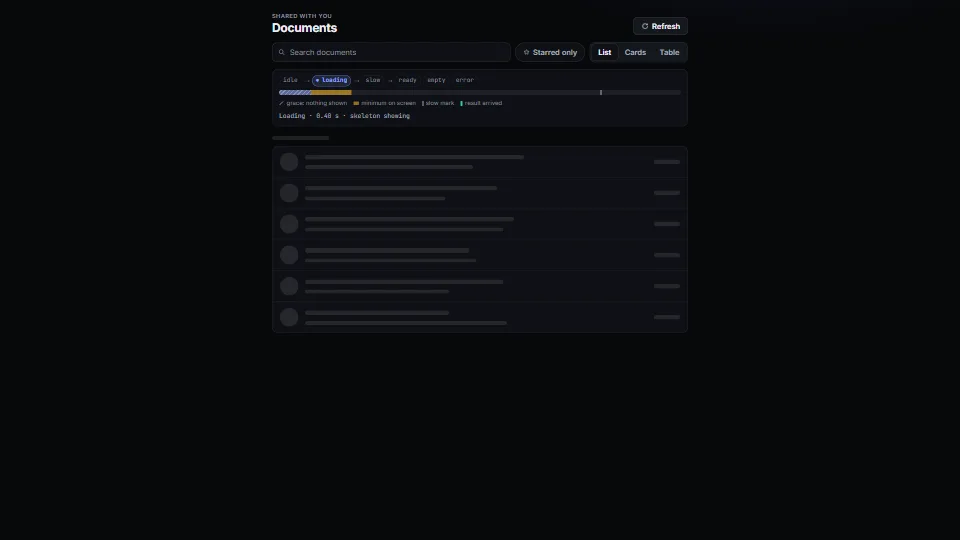
The states every view needs, done calmly: a tiny state machine (idle → loading → slow → ready | empty | error) with a grace delay so fast loads never flash a…
 UI & interaction
 UI & interaction
 UI & interaction
 UI & interaction