 Systems & tooling
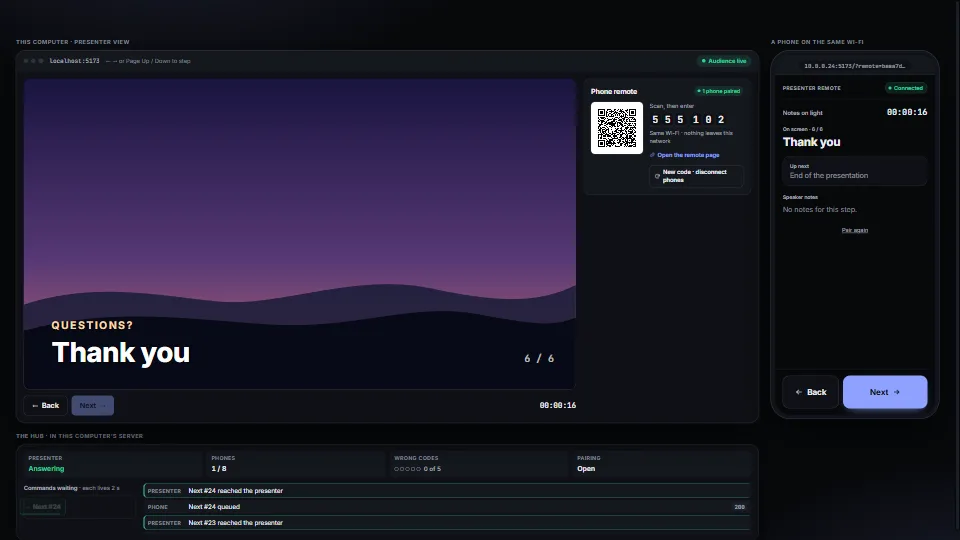
LAN phone remote
A phone on the same Wi-Fi steps a presentation, with no cloud and no app: scan a QR code, type a six-digit code, and Next and Back go to the presenting machine.
<0.01 CPU ms
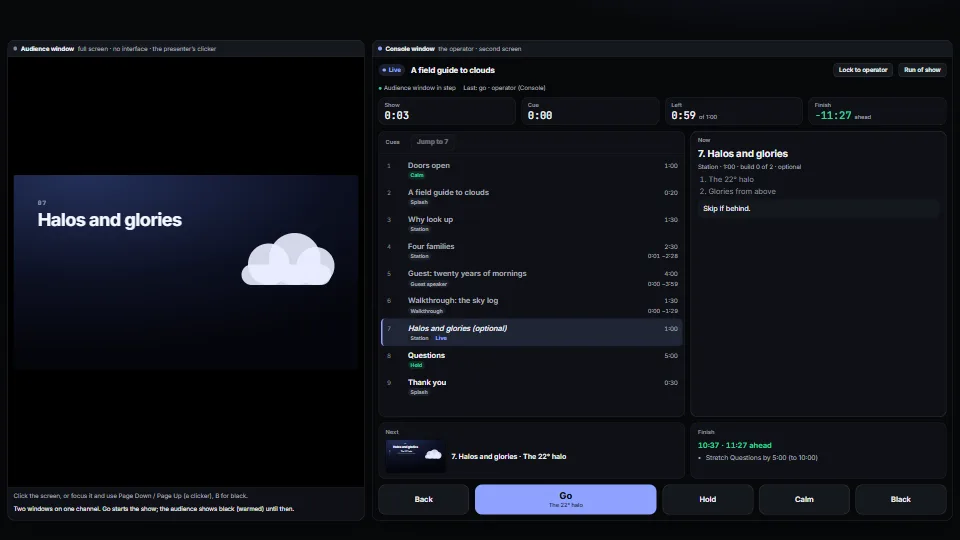
Runs a live presentation from a cue list: go, back, jump, hold, calm and black, with builds inside a cue, from any clicker, the keyboard or the console.
Measured 7 November 2026 on 13th Gen Intel(R) Core(TM) i9-13900H, Chrome 156, 1920×1080 at 1×. 600 frames × 3 rounds, median kept. What ran: Measured with the show driving itself: Go every 30 frames from the console, through every build and cue (each press reduced, sent over a BroadcastChannel to the audience pane, drawn there and in the console’s preview), a hold and resume on the questions, then Reset and again. The clocks tick once a second while live; between presses nothing else runs but the one-second heartbeat between the two windows. Phones: tiers are being measured next.
| Machine | GPU ms | CPU ms | CPU p95 |
|---|---|---|---|
| unknown GPU · 13th Gen Intel(R) Core(TM) i9-13900Hreference · measuring tool | not timed | <0.01 | 0.01 |
| apple · Apple A19 Proin a browser tab · 16 November 2026 | not timed | <0.01 | 0.02 |
| Intel Arc 140V (Xe2-LPG) · Intel Core Ultra 7 258Vin a browser tab · 15 November 2026 | not timed | <0.01 | 0.01 |
Bars against one 16.7 ms frame. A browser-tab run is timed in a visible tab without the tool’s scripted input, so read it as close, not exact.
Written for the library. Fully custom code.
WAI-ARIA Authoring Practices Guide (W3C): The listbox pattern for the cue list (one Tab stop, the arrows, Home and End, the selected option followed by focus, aria-current on the live cue), toggle buttons (aria-pressed) for Hold, Calm, Black and the lock, and a polite live region for changes. Written here from scratch.
HTML Living Standard (WHATWG): BroadcastChannel and cross-document messaging (postMessage), the two paths between the windows.
Window Management (W3C): getScreenDetails() and the window-management permission: which screens there are, and placing the stage window on the other one.
Media Capture from DOM Elements (W3C): HTMLCanvasElement.captureStream(): the console’s live monitor of the stage’s canvas.
Systems & toolingA phone on the same Wi-Fi steps a presentation, with no cloud and no app: scan a QR code, type a six-digit code, and Next and Back go to the presenting machine.
 Systems & tooling
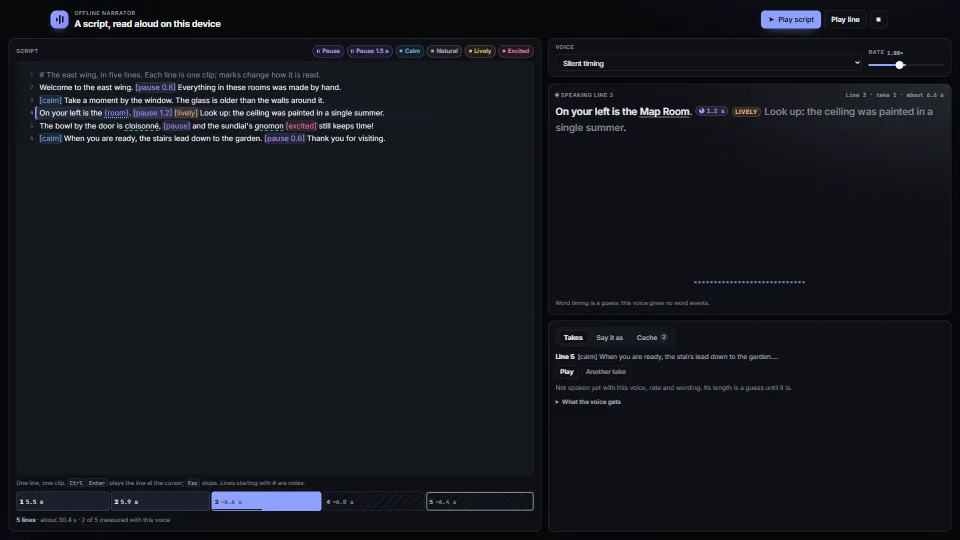
Narration from a script with no cloud: lines with pauses and tone marks, a pronunciation list and {values}, parsed into pieces that keep their place in the…
 Systems & tooling
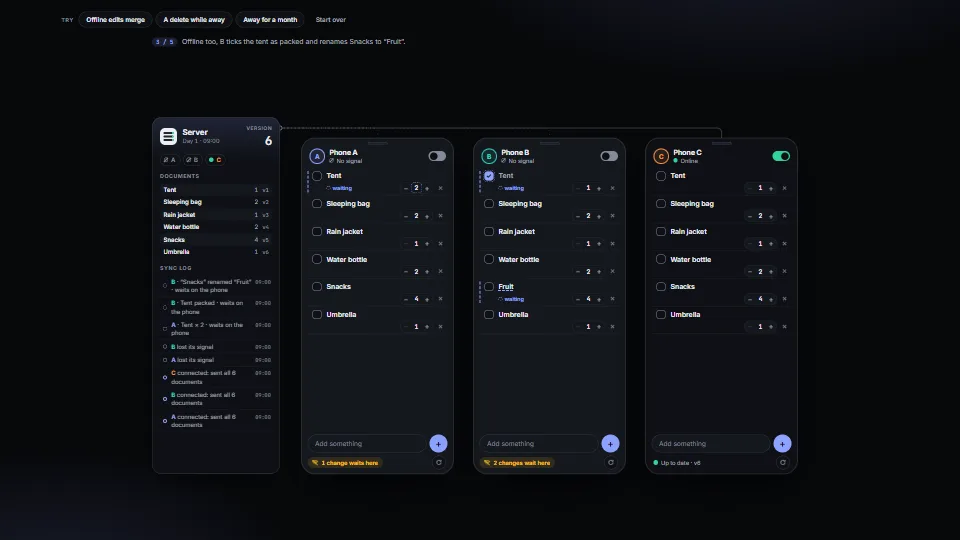
 Systems & tooling