 UI & interaction
Labels pinned to a 3D world
0.35 GPU · 0.46 CPU ms
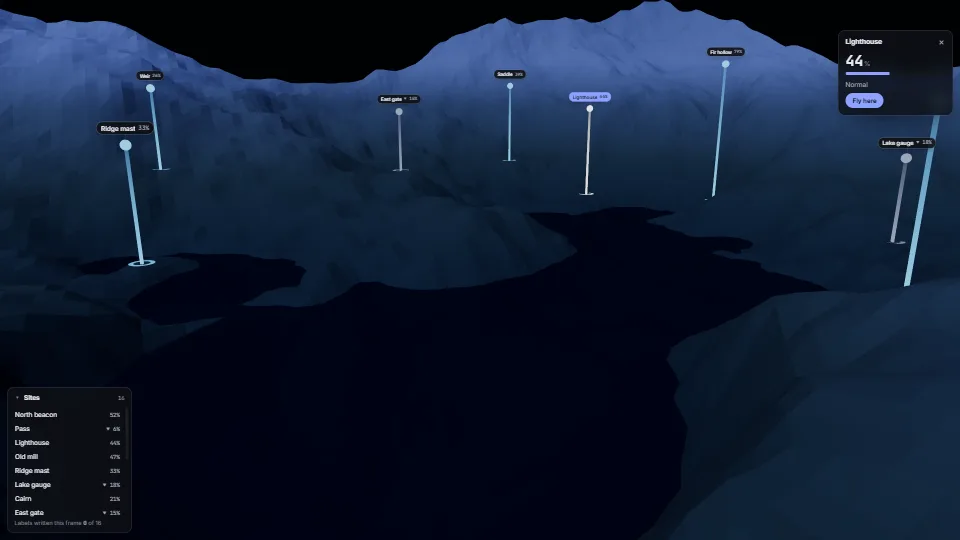
Still
The live demo starts when it’s in view.Drag to orbit · click a beam or a label · Tab to the labels, then the arrow keys
Crisp HTML labels that follow points in a 3D scene.
What it costs a frame
0.35 ms
0.46 ms
- GPU
- 0.35 ms
- CPU, median
- 0.46 ms
- CPU, 95th pct
- 0.65 ms
- Draw calls
- 7
- Weight
- Light
Measured 7 November 2026 on RTX 4060 Laptop, 13th Gen Intel(R) Core(TM) i9-13900H, Chrome 156, 1920×1080 at 1×. 600 frames × 3 rounds, median kept. What ran: Measured while the camera orbits and two readings change every second: all 16 labels are projected each frame and those that moved are written (one transform each). Phones: tiers are being measured next.
| Machine | GPU ms | CPU ms | CPU p95 |
|---|---|---|---|
| RTX 4060 Laptop · 13th Gen Intel(R) Core(TM) i9-13900Hreference · measuring tool | 0.35 | 0.46 | 0.65 |
| apple · Apple A19 Proin a browser tab · 16 November 2026 | 1.42 | 0.08 | 0.16 |
| Intel Arc 140V (Xe2-LPG) · Intel Core Ultra 7 258Vin a browser tab · 15 November 2026 | 2.42 | 0.95 | 1.84 |
Bars against one 16.7 ms frame. A browser-tab run is timed in a visible tab without the tool’s scripted input, so read it as close, not exact.
What it needs
- Renders with
- DOM and CSSPlain DOM and CSS: every current browser.
- Your browser
- Runs hereNo WebGPU needed
- Depends on
- NothingNo other packages
What it’s for
- Names and readings over sites on a 3D map
- Markers on a product model or a building
- Players, units or waypoints in a game
- Callouts in a scientific or data scene
- Any HUD text that must stay crisp, selectable and readable by a screen reader
Pitfalls, in brief
- Pass projection × view (camera.projectionMatrix × camera.matrixWorldInverse in three.js), column-major, after the camera moved this frame: call camera.updateMatrixWorld() first, or the labels trail the picture by a frame.
- The viewport you pass must be the canvas’s size in CSS pixels, and the host the labels live in must cover the canvas exactly (position it over it); otherwise every label is off by the difference.
- Distance scaling needs your world’s scale:
scale.atis the distance in your units at which a label is its own size. - Covers are measured when they or the host change size (ResizeObserver) and on window resize, not every frame.
- A hidden label (under a panel, past
max, off screen) gets visibility: hidden, so it leaves the tab order and the accessibility tree.
4 more in brief
- Add labels in the order a screen reader should read them: the DOM order is the add order.
- A moving label is hard to click: pause any auto camera motion while a label has the pointer or focus (the demo does).
- Hundreds of labels: the DOM layer is right for tens.
- Import world-labels.base.css before world-labels.css: the base places the labels and holds the hidden states that take them out of the tab order; the other is only the pill.
9 pitfalls in full, the hook-up guide, the module source and its tests come with the part.
Where it comes from
From HaTac. Fully custom code.
WAI-ARIA Authoring Practices Guide (W3C): Roving tabindex for a composite group (one Tab stop, the arrows move inside), here moving spatially; and the disclosure pattern for the demo’s labels and detail panel (aria-expanded, aria-controls). Written here from scratch.
Mark Jarzynski & Marc Olano, Hash Functions for GPU Rendering (2020): Their PCG hash for the demo’s random readings and the ground’s value noise (demo only, not the module).
Near it in the frame
UI & interaction UI & interaction
 UI & interaction
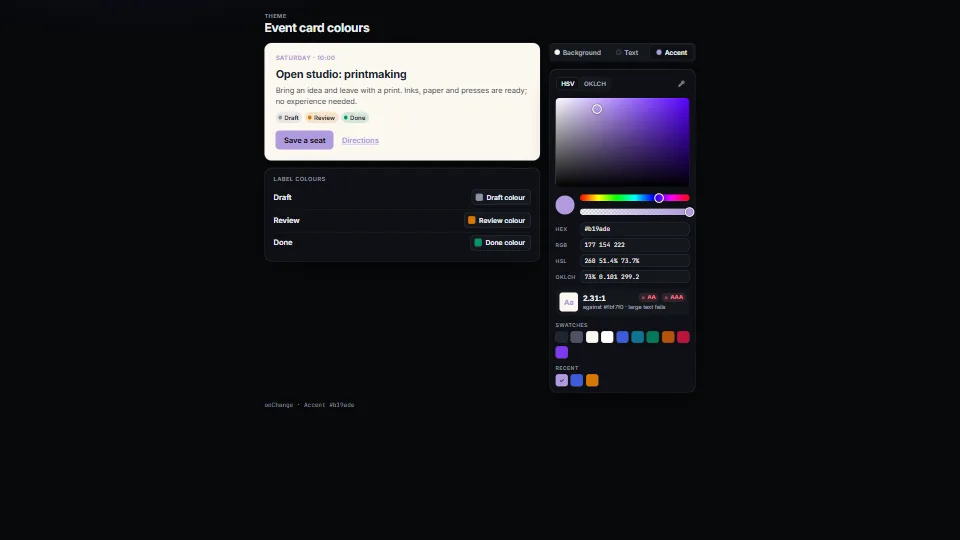
Colour picker: HSV and OKLCH, contrast, eyedropper
A colour picker that does not drift: a saturation × brightness plane or an OKLCH lightness × chroma plane with the edge of sRGB drawn on it, hue and opacity…
0.42 CPU ms
 UI & interaction