 UI & interaction
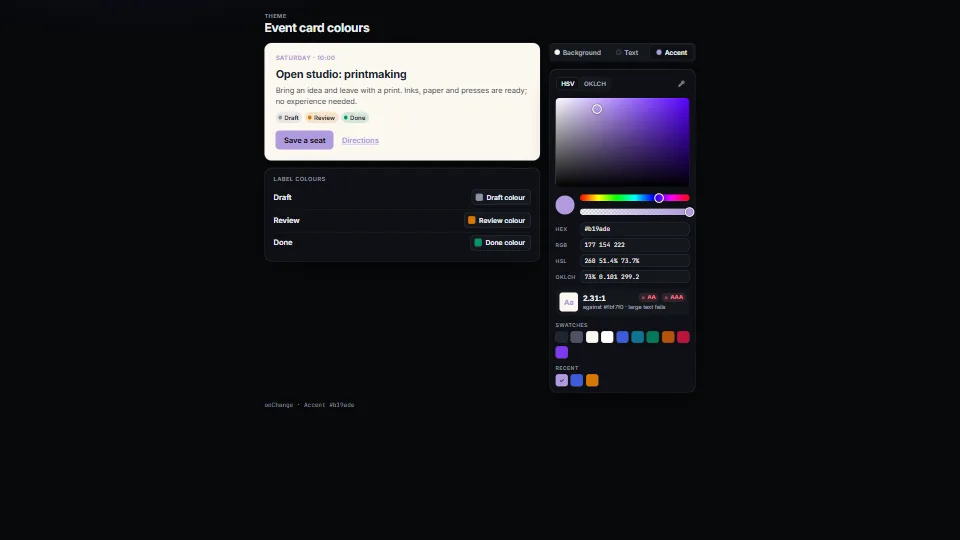
Colour picker: HSV and OKLCH, contrast, eyedropper
A colour picker that does not drift: a saturation × brightness plane or an OKLCH lightness × chroma plane with the edge of sRGB drawn on it, hue and opacity…
0.42 CPU ms
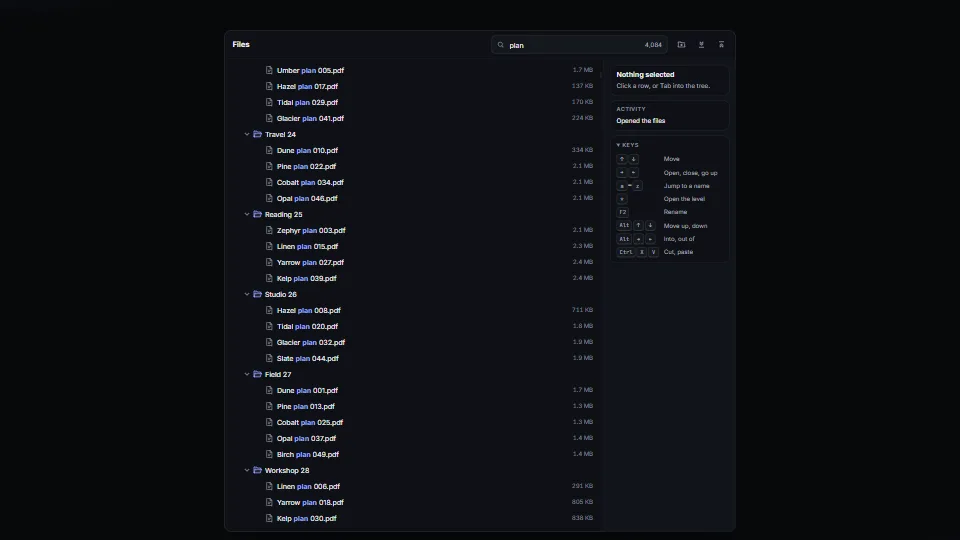
A virtualised tree for files, folders, outlines and categories.
Measured 7 November 2026 on 13th Gen Intel(R) Core(TM) i9-13900H, Chrome 156, 1920×1080 at 1×. 600 frames × 3 rounds, median kept. What ran: Measured on the 50,000-item archive, three collections open: the tree scrolls 41 px every frame and redraws every row in view from scratch (a real scroll redraws only the rows that come in), opens or closes a folder every 24 frames and runs a filter over all 50,025 names every 150 frames, clearing it 40 frames later. At rest it does nothing. Phones: tiers are being measured next.
| Machine | GPU ms | CPU ms | CPU p95 |
|---|---|---|---|
| unknown GPU · 13th Gen Intel(R) Core(TM) i9-13900Hreference · measuring tool | not timed | 0.43 | 2.44 |
| apple · Apple A19 Proin a browser tab · 16 November 2026 | not timed | 0.78 | 1.98 |
| Intel Arc 140V (Xe2-LPG) · Intel Core Ultra 7 258Vin a browser tab · 15 November 2026 | not timed | 0.76 | 1.10 |
Bars against one 16.7 ms frame. A browser-tab run is timed in a visible tab without the tool’s scripted input, so read it as close, not exact.
Written for the library. Fully custom code.
WAI-ARIA Authoring Practices Guide (W3C): the tree view pattern: roles, roving tabindex, the arrow, Home, End, * and type-ahead keys, aria-expanded, aria-selected or aria-checked (not both), and aria-level, aria-setsize and aria-posinset given on every row of a flat, virtualised tree
Unicode Normalization Forms (Unicode Standard Annex #15): canonical decomposition (NFD) with the combining marks dropped, so the filter finds “Café” with “cafe”
UI & interactionA colour picker that does not drift: a saturation × brightness plane or an OKLCH lightness × chroma plane with the edge of sRGB drawn on it, hue and opacity…
 UI & interaction
 UI & interaction
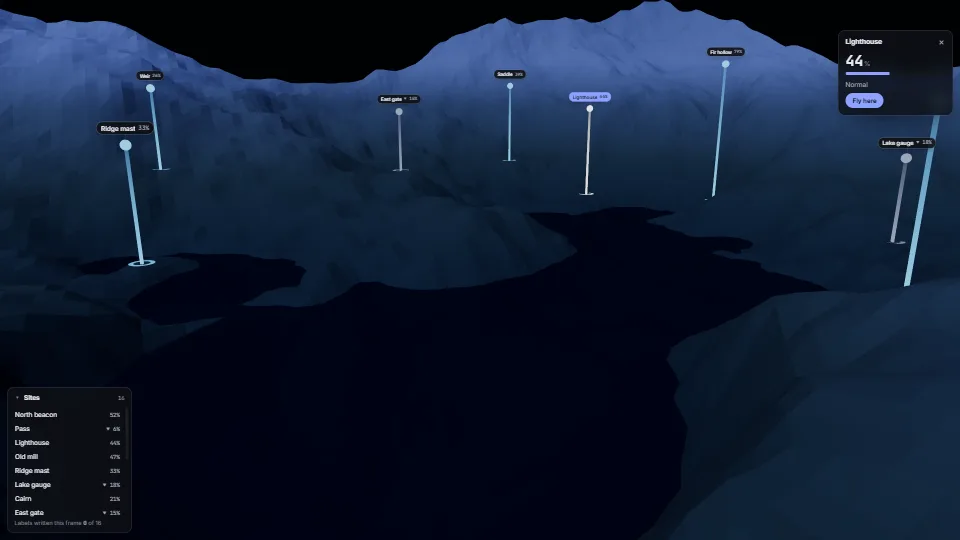
Crisp HTML labels that follow points in a 3D scene.
 UI & interaction