 Systems & tooling
GPU page runtime
Many small WebGPU widgets on one page share one device, one command encoder and one submit a frame.
0.20 GPU · 1.43 CPU ms
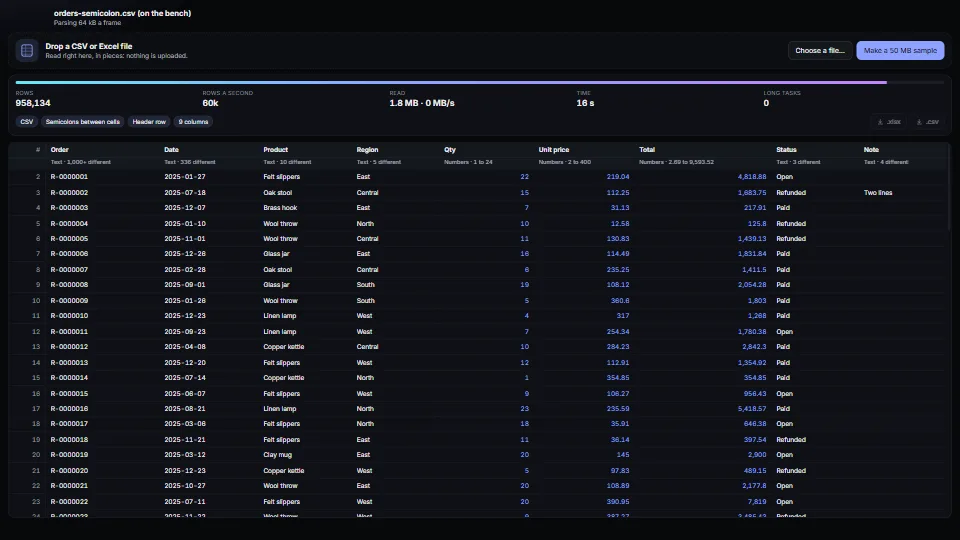
Reads 64 MB+ CSV and .xlsx files in the browser a piece at a time.
Measured 4 November 2026 on 13th Gen Intel(R) Core(TM) i9-13900H, Chrome 156, 1920×1080 at 1×. 600 frames × 3 rounds, median kept. What ran: Measured exercising itself: every frame feeds 64 kB of generated CSV (about 1,000 rows, semicolons and decimal commas) through the streaming parser, reads its numbers, updates the column profile and repaints the counts, all inside update. That is reading about 3.8 MB a second on the page’s own thread; off the bench, reading runs between frames or in a worker and only the repaint is per frame. Phones: tiers are being measured next.
| Machine | GPU ms | CPU ms | CPU p95 |
|---|---|---|---|
| unknown GPU · 13th Gen Intel(R) Core(TM) i9-13900Hreference · measuring tool | not timed | 2.63 | 3.79 |
| apple · Apple A19 Proin a browser tab · 16 November 2026 | not timed | 1.90 | 3.06 |
| Intel Arc 140V (Xe2-LPG) · Intel Core Ultra 7 258Vin a browser tab · 15 November 2026 | not timed | 2.52 | 2.85 |
Bars against one 16.7 ms frame. A browser-tab run is timed in a visible tab without the tool’s scripted input, so read it as close, not exact.
own), and the xlsx scanner decodes cells from bytes.csvBlob(rows, { bom: true })), and expects ; between cells where the decimal mark is a comma.From SpaciousPro. Fully custom code.
PKWARE .ZIP File Format Specification (APPNOTE.TXT): the zip layout the reader and writer follow, zip64 records included
ECMA-376 Office Open XML: the SpreadsheetML parts: workbook, shared strings, sheets, styles
RFC 4180 (CSV): quoted cells, doubled quotes and line breaks inside quotes
CRC-32 (ISO 3309, as zip uses it): the reflected 0xEDB88320 polynomial, a 256-entry table
George Marsaglia, “Xorshift RNGs” (2003): xorshift32 makes the demo’s sample data
Systems & toolingMany small WebGPU widgets on one page share one device, one command encoder and one submit a frame.
 Systems & tooling
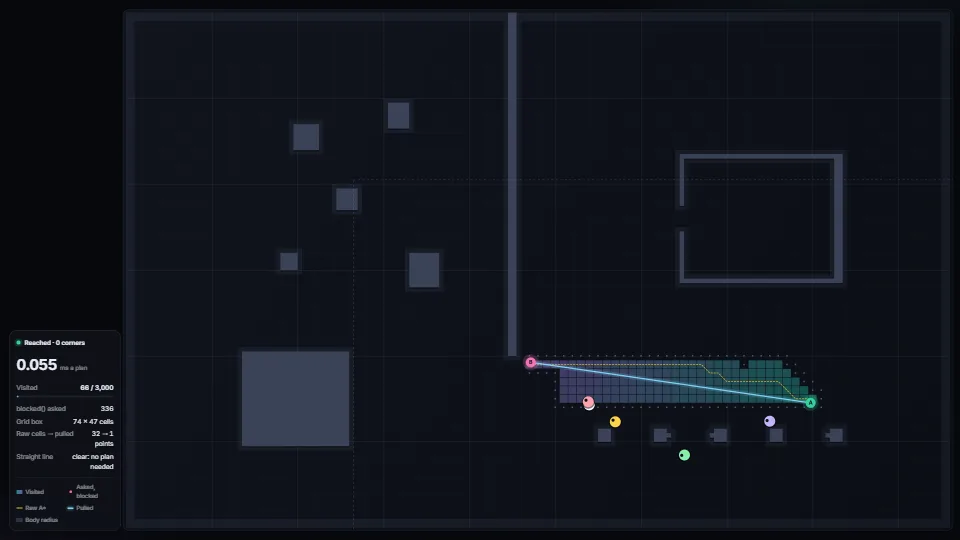
A way round walls and props from one blocked(x, z) question.
 Systems & tooling
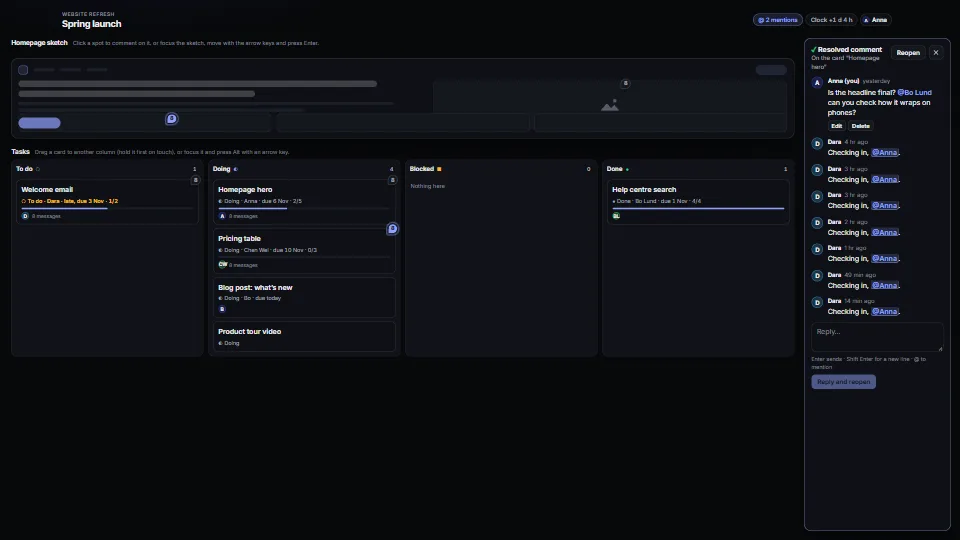
Comment threads pinned to items or to spots, with replies, @mentions (the longest name wins), edit, resolve and reopen; task cards with a status, an assignee…
 Systems & tooling