The live demo starts when it’s in view.Scroll the page and watch widgets sleep · Lose the device · Break a shader · Switch the accent
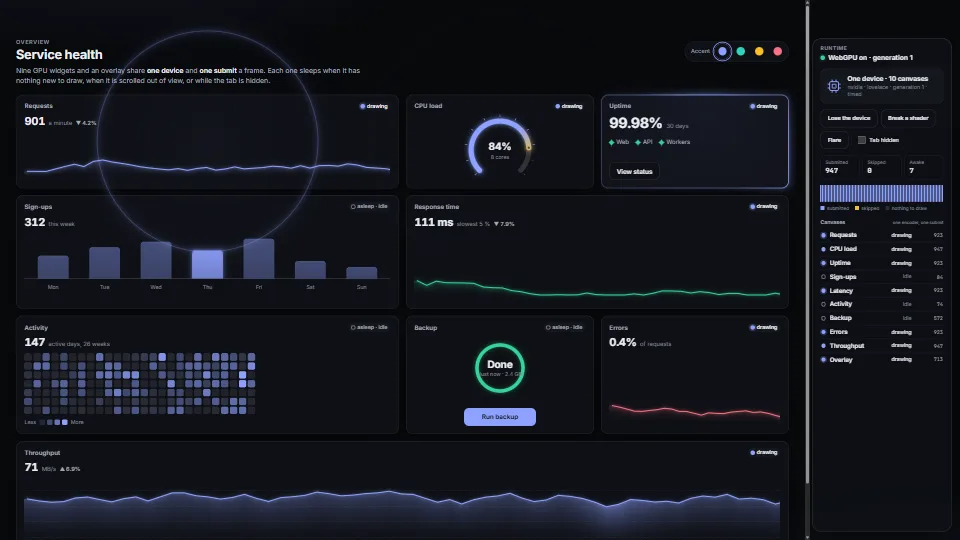
Many small WebGPU widgets on one page share one device, one command encoder and one submit a frame.
What it costs a frame
GPU
0.20 ms
CPU
1.43 ms
02468101216.7 ms
GPU
0.20 ms
CPU, median
1.43 ms
CPU, 95th pct
2.42 ms
Draw calls
0
Weight
Moderate
Measured 11 November 2026 on 13th Gen Intel(R) Core(TM) i9-13900H, Chrome 157, 1920×1080 at 1×. 600 frames × 3 rounds, median kept. What ran: Measured with the demo running itself: new data every 0.5 s for the three line charts and the gauge, a pointer sweeping the glow card, the bars’ highlight stepping, the backup ring running and a flare on the overlay every 1.5 s. The throughput chart scrolls in and out of view. GPU time is every pass of the frame (one per awake canvas), from timestamp queries. Phones: tiers are being measured next.
apple · Apple A19 Proin a browser tab · 16 November 2026
2.84
1.88
3.70
Intel Arc 140V (Xe2-LPG) · Intel Core Ultra 7 258Vin a browser tab · 15 November 2026
0.26
0.93
2.74
Bars against one 16.7 ms frame. A browser-tab run is timed in a visible tab without the tool’s scripted input, so read it as close, not exact.
How steadily it runs on Intel Arc 140V (Xe2-LPG) · Intel Core Ultra 7 258V · in a browser tab
Typical frame ?
16.66 ms
1% low ?
50 fps
Varies by ?
±0.54 ms
All metricsIntel Arc 140V (Xe2-LPG) · Intel Core Ultra 7 258V · in a browser tabHow long each frame took. Most frames sit in the tall bars; a long tail to the right is hitching.
Frames run on a 60 Hz timer (a page demo), so most frames take about one tick, 16.7 ms: the spread around it is what matters.
Frames
Median (p50) ?
16.66 ms
p95 ?
17.42 ms
p99 ?
18.09 ms
Slowest ?
22.84 ms
Mean ?
16.71 ms
Standard deviation ?
0.54 ms
1% low ?
50 fps
0.1% low ?
44 fps
Hitches ?
0 of 600
Over budget ?
0 of 600
Main thread
Long tasks ?
0
Long frames ?
0
Event-loop delay ?
0.0 / 2.4 / 3.7 ms
Input
Interactions ?
43
Input to paint ?
5.5 ms, worst 12.2
Longest handler ?
0.0 ms
Memory
JavaScript heap ?
98.0 → 82.6 MB
Growth ?
-15.35 MB
What it needs
Renders with
WebGPUNeeds WebGPU: current Chrome and Edge, Safari 26+, Firefox 141+ on Windows.
Your browser
Checking…Looking for WebGPU
Depends on
NothingNo other packages
What it’s for
Dashboards with many small charts and gauges
GPU sparklines, meters and cards in an ordinary page
Design systems whose components draw with WebGPU
One overlay for effects that belong to no element
Surviving a lost GPU device on phones and laptops
GPU colours that follow the page’s light and dark themes
Pitfalls, in brief
One device for the page, or nothing is shared: a canvas configured with one device can’t draw another device’s textures, and every device pays its own pipelines.
A lost device takes everything made on it: buffers, bind groups, pipelines and the canvases’ configuration. setup() must build all of it again from your data (the runtime calls it on the new device), so keep the data on the CPU, not only in GPU buffers.
After a loss, ask a new adapter: an adapter hands out one device, and requestDevice() on the old one fails.
device.destroy() reports the loss with reason "destroyed", the same as your own dispose().
IntersectionObserver ignores display: none and zero-size boxes: a canvas that is hidden never counts as on screen.
5 more in brief
A widget that skips its draw while a pipeline compiles stays awake (it would never draw otherwise).
getComputedStyle gives a custom property’s text as written, with var() filled in: a color-mix() or a named colour is not something the parser can read, so it goes through a hidden element’s computed colour (in context) and then a canvas.
The theme watcher sees attributes, not stylesheets: a theme switched by swapping a stylesheet or a class you didn’t name needs runtime.themeChanged().
A canvas that changes size is cleared: the runtime sizes the backing store inside the frame, just before the widget draws, never in a ResizeObserver callback.
Timestamp queries need the timestamp-query feature, which not every browser and adapter offer (2026). gpuTime() is then null; every pass of a frame is timed in one query set (32 passes at most).
10 pitfalls in full, the hook-up guide, the module source and its tests come with the part.
Where it comes from
From My other apps. Fully custom code.
Björn Ottosson, A perceptual color space for image processing (OKLab, 2020): The OKLab to linear sRGB matrices in colour.ts, as published.
Inigo Quilez, 2D distance functions: The rounded-box distance in the demo’s shared WGSL (rbox).
raw webgpuwgslframe loopdraw on demandintersectionobservervisibilitychangedevice lostcreateRenderPipelineAsynccss tokensthemingtimestamp queriesfallbackdashboardsno dependencies
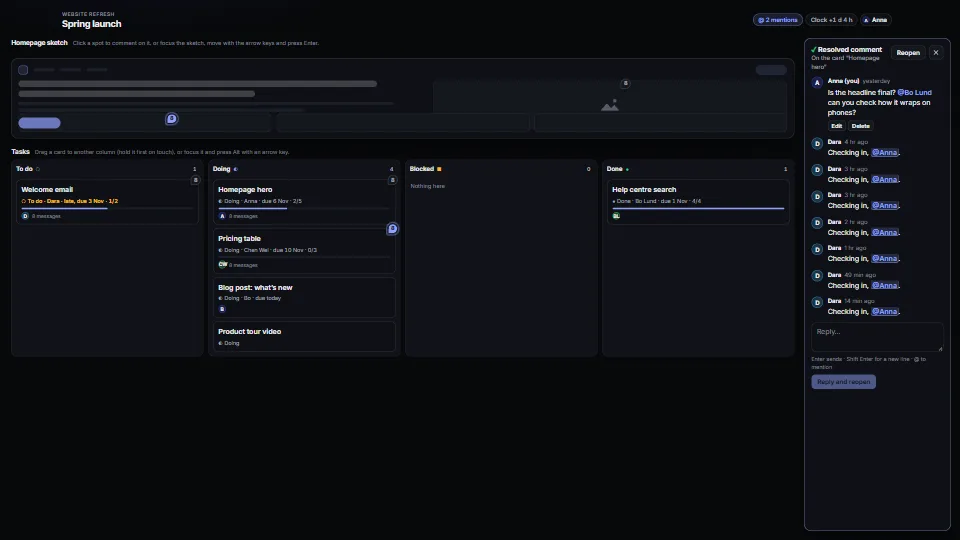
Comment threads pinned to items or to spots, with replies, @mentions (the longest name wins), edit, resolve and reopen; task cards with a status, an assignee…
 Systems & tooling
 Systems & tooling
 Systems & tooling
 Systems & tooling