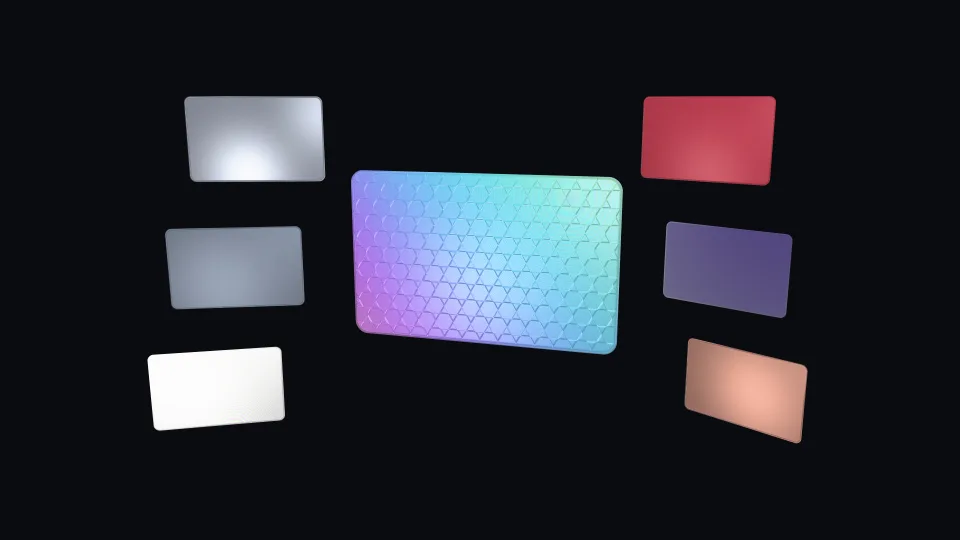
 Surfaces & materials
PBR material designer
0.63 GPU · 0.20 CPU ms
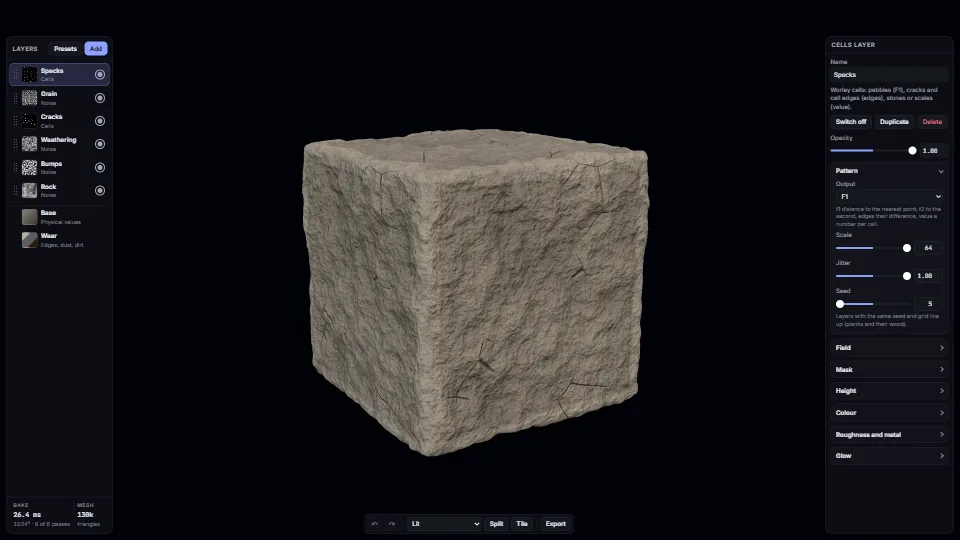
Still
The live demo starts when it’s in view.Pick a layer and drag its sliders: it re-bakes from that layer · Drag layers into and out of material layers · Show its field or mask · Presets, Split, Tile, Export · Ctrl+Z
Materials as recipes you can keep in a repo.
What it costs a frame
0.63 ms
0.20 ms
- GPU
- 0.63 ms
- CPU, median
- 0.20 ms
- CPU, 95th pct
- 0.33 ms
- Draw calls
- 4
- Weight
- Moderate
Measured 11 November 2026 on RTX 4060 Laptop, 13th Gen Intel(R) Core(TM) i9-13900H, Chrome 157, 1920×1080 at 1×. 600 frames × 3 rounds, median kept. What ran: Red brick on the rounded cube, 1K bake, parallax relief, studio light, on a slow turntable; once a second a mid-stack layer changes and the stack re-bakes from it (a few passes and the final one). Phones: tiers are being measured next.
| Machine | GPU ms | CPU ms | CPU p95 |
|---|---|---|---|
| RTX 4060 Laptop · 13th Gen Intel(R) Core(TM) i9-13900Hreference · measuring tool | 0.63 | 0.20 | 0.33 |
| apple · Apple A19 Proin a browser tab · 16 November 2026 | 3.79 | 0.34 | 0.58 |
| Intel Arc 140V (Xe2-LPG) · Intel Core Ultra 7 258Vin a browser tab · 15 November 2026 | 4.55 | 1.05 | 1.82 |
Bars against one 16.7 ms frame. A browser-tab run is timed in a visible tab without the tool’s scripted input, so read it as close, not exact.
How steadily it runs on Intel Arc 140V (Xe2-LPG) · Intel Core Ultra 7 258V · in a browser tab
- Typical frame ?
- 10.87 ms
- 1% low ?
- 10 fps
- Varies by ?
- ±9.60 ms
All metricsIntel Arc 140V (Xe2-LPG) · Intel Core Ultra 7 258V · in a browser tab
Frames run back to back, each starting once the GPU has finished the last, so frame times show the work itself. They have a floor of about 4–5 ms from the browser’s own scheduling: GPU and CPU ms stay the measure of cost.
Frames
- Median (p50) ?
- 10.87 ms
- p95 ?
- 13.21 ms
- p99 ?
- 80.42 ms
- Slowest ?
- 152 ms
- Mean ?
- 11.97 ms
- Standard deviation ?
- 9.60 ms
- 1% low ?
- 10 fps
- 0.1% low ?
- 7 fps
- Hitches ?
- 9 of 600
- Over budget ?
- 14 of 600
Main thread
- Long tasks ?
- 0
- Long frames ?
- 1 · 0 ms blocking
- Event-loop delay ?
- 0.1 / 2.3 / 2.6 ms
Input
No input during this run. A browser-tab run plays none.
Memory
- JavaScript heap ?
- 137 → 77.5 MB
- Growth ?
- -59.12 MB
What it needs
- Renders with
- WebGPUNeeds WebGPU: current Chrome and Edge, Safari 26+, Firefox 141+ on Windows.
- Your browser
- Checking…Looking for WebGPU
- Depends on
- three.js 0.187.0No other packages
What it’s for
- Game materials without texture files
- Stone, brick, wood, metal, fabric, glass and lava
- Material editors and look-dev tools
- Tiling texture sets for other engines
- Worn props and set dressing
- Product and finish previews
Pitfalls, in brief
- A layer writes its colour, roughness, metalness and glow wherever it applies (its mask times its opacity), mapping its field from a to b: it does not fade out where the field is low.
- A mask is 0 below
fromand aboveto, rising oversoftabovefrom: from 0 and to 1 are open ends. - A layer above that mixes colour (or roughness, metalness, glow) at full amount under a wide mask hides every layer below it in that output: the lower layer’s sliders then seem to do nothing.
- A cavity mask reads crevices a few texels across (the height’s local average minus itself).
gridFromfollows every tile pattern (planks, bricks, square, hex, herringbone; in herringbone, wood and noise turn with upright blocks).
37 more in brief
- Per-shape values come from a cell channel, not a flood fill: kinds with cells (tiles, cells, dents, flakes, scatter, panels, plates, scales, strata, and weave: a value per thread, the weft above 0.5) write each cell’s number where their mask is over half and their field above 0.02, and a derive layer (output cells) reads it back.
- Height blend
detailbends only the normal map: it is not in the height map, the parallax, the displacement, the occlusion or the cavity, and it never clips. - An image layer keeps its picture in the recipe as a data URL of at most MAX_IMAGE_CHARS (about 1 MB); imageToDataUrl downscales a file to fit.
- Some new passes cost more than the first set (seen at 1K on the reference laptop with the browser pane hidden, so rough): herringbone grids about 3 ms a pass, scatter 1.5–2.5 ms, slope blur about 5 ms before it was cut to half its reads (not measured since); most others under about 1.5 ms.
- The audit (
auditRecipe) bakes once for each probe, a few hundred small bakes for a large recipe withparams: run it from a tool or the console, never per frame. - Every field is periodic over the tile: lattices wrap by whole numbers of cells.
- Parallax occlusion moves the texture, not the silhouette: edges stay smooth, and it fades to the normal map at grazing angles and in the distance (where it would only shimmer).
- Parallax works with UV projection only; triplanar falls back to the normal map.
- Displacement by UV cracks along UV seams (the two sides read different texels): use triplanar, or weld the seam’s vertices.
- The material needs tangents for the best parallax and anisotropy: computeTangents() on indexed geometry with UVs (the preview shapes have them).
- Worn edges read a per-vertex
edgeattribute: the preview shapes have it exactly; for your meshes, meshEdges() computes it (about a second for a million triangles, so do it once, or offline). - Base values (clearcoat, sheen, specular, ior, emissive, scattering…), the relief mode, the tiling and the wear are uniforms: no bake, no shader.
- The bake writes 16-bit state targets of three textures each (height, roughness, metalness, glow; colour; the cell value, detail height, clear coat and scattering): about 96 MB at 1K, 380 MB at 2K, kept so edits re-bake fast, and two more (48 MB at 1K) while the recipe has a material layer.
- Base colour is stored as its square root in 8 bits (so dark colours keep their steps): square it when you read
maps.albedoyourself (the exporter does). - A material layer bakes into the same maps, so most values become per texel.
- Material layers do not nest (one inside another is dropped by validateRecipe), and their own layers count toward MAX_LAYERS.
- Hex tiling reads every map three times (and the parallax march once a step, from the nearest hexagon only, so it can step slightly where hexagons meet).
- Live effects (recipe.live: flow, wet, rain, snow, the dissolve) are worked out as the material is drawn, from what is baked plus per-pixel noise: no extra map, no bake. setLive changes them as uniforms; each builds its shader code the first time it is on.
- The live clock (flow, the glow’s pulse, rain) runs once a frame while RecipeMaterial.motion is true; set it false for reduced motion (the demo does), or set RecipeMaterial.time yourself.
- A dissolve cuts the surface with the material’s mask, which three also uses for its shadow pass, so the holes cast no shadow.
- Your own model in the demo: .glb or .gltf from a click on Open a model, never fetched (external references are refused); merged into one geometry, centred and scaled to about 1.2 m; refused above 2M triangles, no worn edges above 600k (the edge pass takes about a second a million).
- Parallax shadows and scattering run in the material’s own lighting model (RecipeNodeMaterial, a MeshPhysicalNodeMaterial with a PhysicalLightingModel subclass): once for every direct light that reaches the material, so many lights multiply their cost; image-based light gets neither.
- Scattering is an approximation from the surface (light through thin parts toward the silhouette, and wrapped round the terminator): it does not know how thick the mesh really is, and it shows best with a light behind the object (the demo adds one for materials that scatter).
- The height is clamped to 0..1 when the maps are made: layers that add up past 1 flatten the tops (bricks at 1 plus a face noise lose the noise).
- Shaders compile on first draw: each layer kind’s pass (tiles: each pattern group) and each set of material features (clear coat, sheen, transmission, scattering, hex tiling, a live effect) builds its shader the first time it draws, on the main thread and then in the GPU process, which holds the page’s frames meanwhile: 1 to 7 s seen loading a preset with new kinds (headless Chrome).
- Changing the projection (UV, triplanar, object or world space) rebuilds the material’s shader: pick it per mesh once, not per frame.
- bakeStats.ms waits for the GPU (the queue is drained first, then the bake, then waited on): a fair cost, but it can include a frame already queued.
- A UV sphere pinches at its poles: textures squeeze there, and anisotropy follows the tangents that pinch.
- The WebGL 2 fallback works (checked with forceWebGL: the bake and the material render, with material layers, scattering, hex tiling and parallax shadows), but compiling the passes is slow there: about 1.5 s for red brick and 3 s for oak planks at first bake in a Chrome window on Windows, and far longer in headless Chrome (about a minute for red brick, 40 s for painted steel, against 2 s on WebGPU), where each pass’s loops are compiled slowly.
- Transmission (glass, ice) refracts what is behind the object: in front of a dark backdrop it reads as grey.
- Cells’ f1 is a cone round each point: its tip, or a flat top clipped at 1, catches the light as a bright point.
- Foliage under displacement: each leaf’s or shoot’s own height stretches into a wall along the normal, so the crown presets keep it small (a levels layer after the leaves) and let broad clumps carry the depth; the leaves show through the normal map and colour.
- Exported maps are flipped to the image convention (top row v = 1) and the base colour squared and sRGB-encoded;
baker.read()gives the raw maps, rows from v = 0. - A Fn with a layout (hashCell, gradientNoise) called with a plain number as an argument makes that number a node only when it is first built, which changes the graph’s cache key after
preparecompiled it: the draw then built the shader again (stone floor, burning, snow). - Car paint shows where the stack leaves the base colour, judged per texel from the albedo map: keep
base.colourthe paint’s face tone, or the paint fades where nothing covers it. - Saved materials live in this browser’s localStorage (a few MB for the whole site, shared with other pages): a recipe is a few KB and its thumbnail about 6 KB, but an image layer can be over 1 MB, so a handful of those fill it.
- A saved material’s thumbnail is made when it is saved, by the gallery’s swatch renderer (its own small material), and kept: opening the gallery then decodes images only (worst frame 7.1 ms with 12 saved, as with none).
42 pitfalls in full, the hook-up guide, the module source and its tests come with the part.
Where it comes from
Written for the library. Fully custom code.
Ken Perlin, gradient noise (1985) and its quintic fade (2002): The periodic gradient noise behind the noise, marble, wood and mask fields.
Steven Worley, “A Cellular Texture Basis Function” (1996): The cells, dents and flakes: nearest and second-nearest feature points.
Jarzynski and Olano, “Hash Functions for GPU Rendering” (JCGT 2020): The PCG integer hash every lattice uses.
Natalya Tatarchuk, “Dynamic Parallax Occlusion Mapping with Approximate Soft Shadows” (2006): The parallax occlusion march (steps by view angle, then a secant refinement between the last two) and the soft self-shadows (a short march toward each light, nearer steps counting more).
Eric Heitz and Fabrice Neyret, “High-Performance By-Example Noise using a Histogram-Preserving Blending Operator” (HPG 2018): Tiling and blending: a texture read at the corners of a triangle grid, each with its own offset, blended across it.
Morten S. Mikkelsen, “Practical Real-Time Hex-Tiling” (JCGT 2022): The hex tiling: random offsets and turns per hexagon, sharpened weights with a contrast-preserving priority (here the baked height), normals turned back and blended as slopes. Written for the library from the paper.
Colin Barré-Brisebois and Marc Bouchard, “Approximating Translucency for a Fast, Cheap and Convincing Subsurface Scattering Look” (GDC 2011): The light through thin parts from behind, as three’s MeshSSSNodeMaterial models it (MIT); here thinned toward the silhouette and by the baked height.
Simon Green, “Real-Time Approximations to Subsurface Scattering”, GPU Gems (2004): Wrap lighting: light carried round the shading’s edge, tinted by the scattering colour.
Alex Vlachos, “Water Flow in Portal 2” (SIGGRAPH 2010): Two-phase flow: a texture slid along a direction, read twice half a cycle apart and blended so neither reset shows.
Sébastien Lagarde, “Water drop 2a/2b: Dynamic rain and its effects” (2013): Wet surfaces: porous albedo darkened, roughness lowered, puddles flat and smooth, rain rings on them.
three.js GLTFLoader, HDRLoader and BufferGeometryUtils: The demo’s own model and HDR (MIT).
Ben Golus, “Normal Mapping for a Triplanar Shader” (2017): The whiteout blend of the three projections’ normals.
Michael Toksvig, “Mipmapping Normal Maps” (2005): Roughness widened by how short the mipmapped normals are, so distant relief does not sparkle.
Edsger Dijkstra, shortest paths (1959): Spreading the edge value across a mesh in metres (edges.ts).
three.js PMREMGenerator and RoomEnvironment: The demo’s image-based light (MIT).
Near it in the frame
Surfaces & materials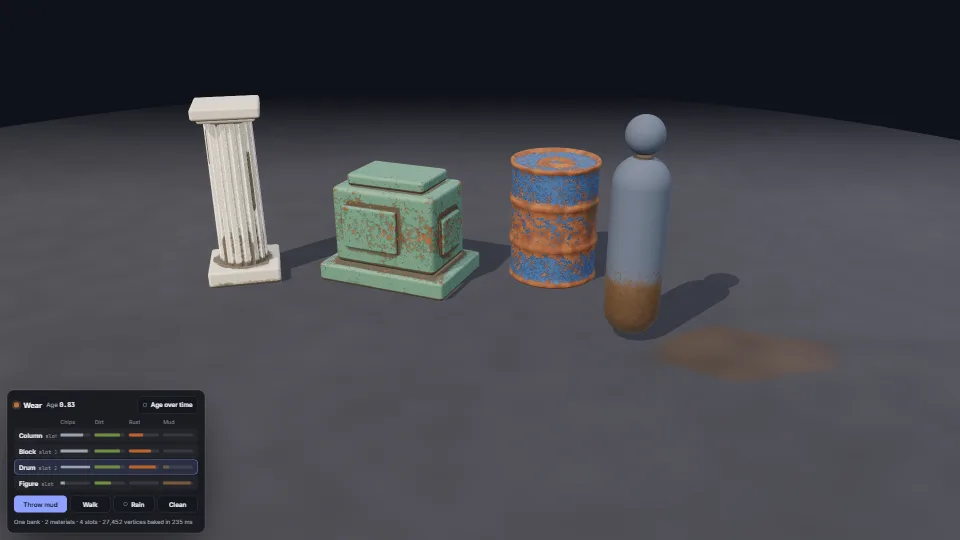 Surfaces & materials
Wear and grime
Paint that wears through on edges and corners, dirt and rust that gather in crevices, and grime the world leaves.
0.94 GPU · 0.45 CPU ms
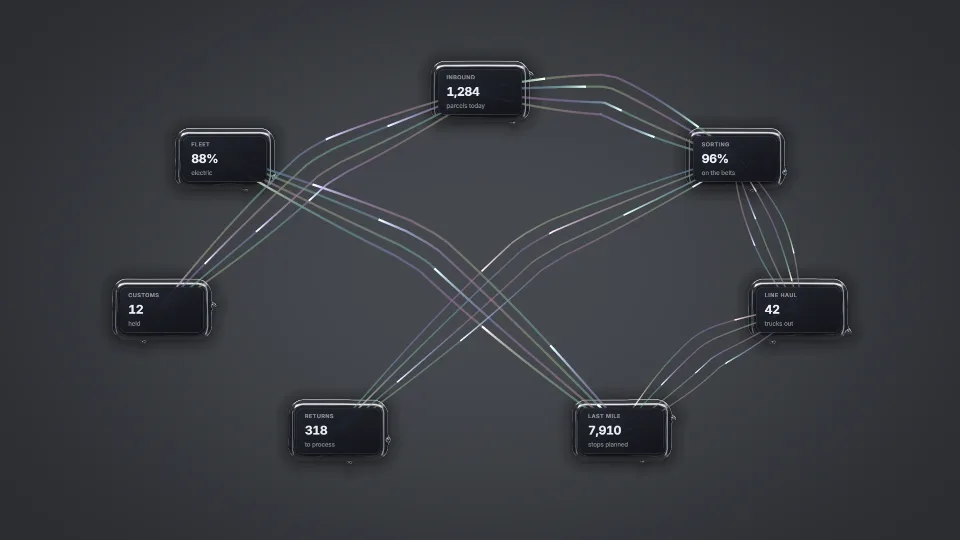 Surfaces & materials
Ferrofluid pools & field lines
Liquid metal under every card: pools that fuse as cards come close, beads and a living ripple, Rosensweig spikes rising toward the pointer, iron filings and…
0.20 GPU · 0.19 CPU ms
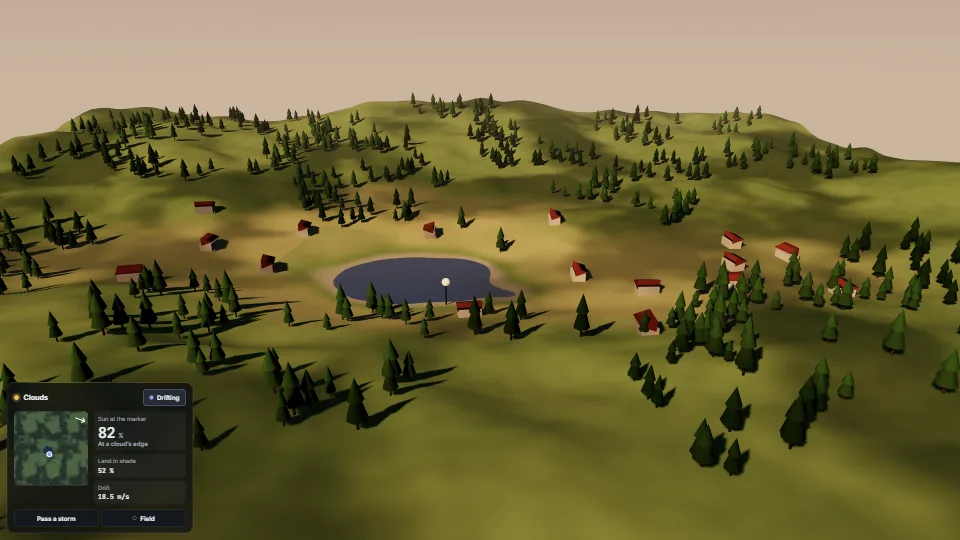 Surfaces & materials
Cloud shadows
Soft shade drifting over the land with the wind, on everything the sun lights.
1.19 GPU · 0.26 CPU ms