 Data & layout
Gauges and progress rings
0.35 CPU ms
Still
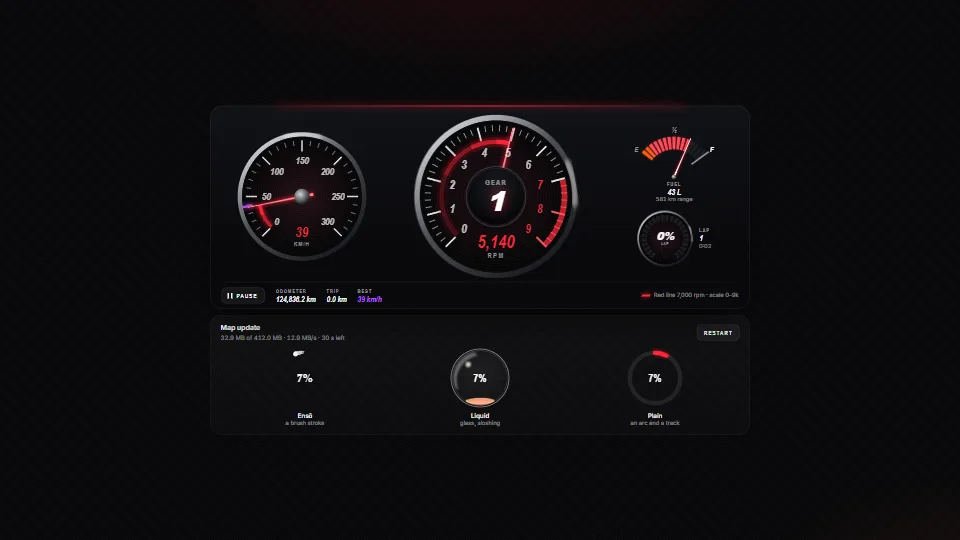
The live demo starts when it’s in view.A simulated drive and download run live · Pause and use the Speed slider · move the red line
Instrument gauges in SVG (a tach with a red line on a nice scale, a speedometer with a best mark, a fuel gauge and an LED ring) whose needles chase their…
What it costs a frame
0.35 ms
- GPU
- not used
- CPU, median
- 0.35 ms
- CPU, 95th pct
- 0.68 ms
- Draw calls
- 0
- Weight
- Light
Measured 7 November 2026 on 13th Gen Intel(R) Core(TM) i9-13900H, Chrome 156, 1920×1080 at 1×. 600 frames × 3 rounds, median kept. What ran: Measured with the simulated drive and the download running: four needles on their springs and three rings, one of them a liquid that moves every frame. Each frame writes a needle angle, the sweep’s mask, any LED segments that change and the ensō’s stroke while it grows. Phones: tiers are being measured next.
| Machine | GPU ms | CPU ms | CPU p95 |
|---|---|---|---|
| unknown GPU · 13th Gen Intel(R) Core(TM) i9-13900Hreference · measuring tool | not timed | 0.35 | 0.68 |
| apple · Apple A19 Proin a browser tab · 16 November 2026 | not timed | 0.52 | 1.54 |
| Intel Arc 140V (Xe2-LPG) · Intel Core Ultra 7 258Vin a browser tab · 15 November 2026 | not timed | 0.55 | 1.01 |
Bars against one 16.7 ms frame. A browser-tab run is timed in a visible tab without the tool’s scripted input, so read it as close, not exact.
What it needs
- Renders with
- DOM and CSSPlain DOM and CSS: every current browser.
- Your browser
- Runs hereNo WebGPU needed
- Depends on
- NothingNo other packages
What it’s for
- Dashboards and KPI tiles
- Progress toward a goal or rank
- Downloads, uploads and installs
- Games and racing HUDs
- Device and IoT panels
- Fitness and quotas
- Levels, tiers and streaks round one number
Pitfalls, in brief
- Pick a max that divides into the ticks:
tachSpec(redLine)for a dial with a goal,niceTicks(min, max, n)otherwise. - The labels are DOM, sized in container units of the gauge: the gauge needs a width from its parent (it is width: 100%, square), or it collapses to nothing.
- Each gauge on its own loop (the default) sleeps once its needle settles; with
loop: falseyou callstep(dt)every frame yourself, or the needle never moves. - A liquid ring animates every frame while it is on screen (an IntersectionObserver stops it off screen); pass
wave: falsefor a still surface. - The red zone blinks 2.5 times a second while the needle is in it: keep it under three flashes a second (WCAG 2.3.1) if you change gr-blink.
7 more in brief
- aria-valuenow and the readout follow
set(), not the needle, and are written only when the text changes: callsetas often as you like, but give the meter a label that says what it measures. - The segmented ring turns by CSS animations on SVG groups: they need
transform-box: view-boxand an origin at the centre (56px 56px in its box), as gauges.css sets, or they swing round the corner. - The segmented ring pulses only when its value moves by a segment or more in one
set: a download callingsetevery frame stays calm, a jump in value is noticed. - At most four tier rings fit between the segments and the number (
MAX_TIERS); more are drawn as four. - Under prefers-reduced-motion the needles jump to their value, the glint, blink and waves stop, and
sweep()does nothing. - Theme with --gr-accent, --gr-red, --gr-best, --gr-liquid and friends on any parent; the gauge’s own rules read them with fallbacks, so set them, not --gr-c-*.
- Import gauges.base.css before gauges.css: the base sizes the gauge and places its labels and readout, the other is only the look.
12 pitfalls in full, the hook-up guide, the module source and its tests come with the part.
Where it comes from
From HaTac. Fully custom code.
Paul Heckbert, “Nice Numbers for Graph Labels”, Graphics Gems (1990): niceTicks and tachSpec round the step to 1, 2 (2.5) or 5 times a power of ten: the idea, the code is the owner’s.
Robert Penner, easing equations: The cubic ease-out (1 − (1 − k)³) the ensō and plain rings use is the well-known form of his easeOutCubic.
Ensō (円相), the Zen brush circle: The look of the ink ring: one stroke, heavy where the brush lands, dry and broken where it lifts.
Near it in the frame
Data & layout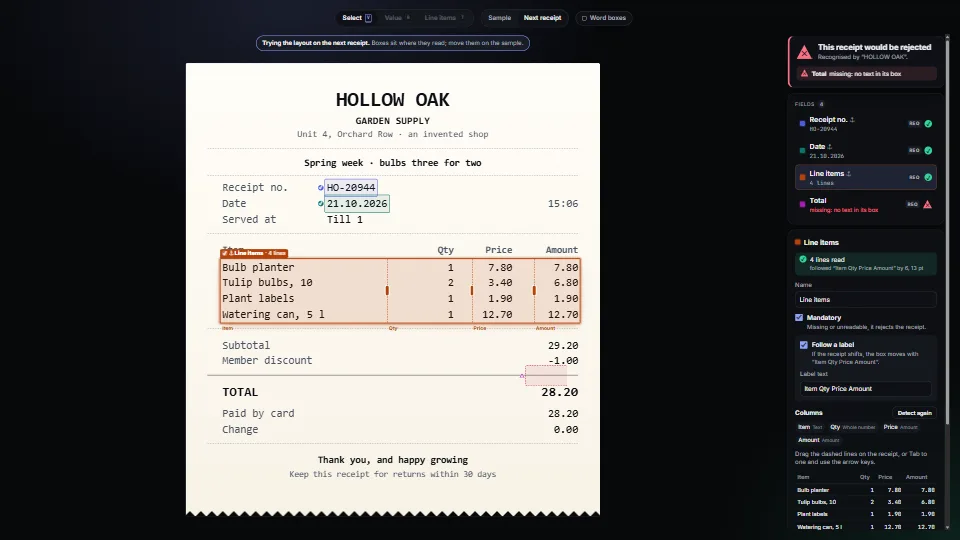 Data & layout
Field map on a fixed-layout page
Map where each value sits on a PDF or a scan with a text layer, from nothing but its words and their boxes.
0.43 CPU ms
 Data & layout
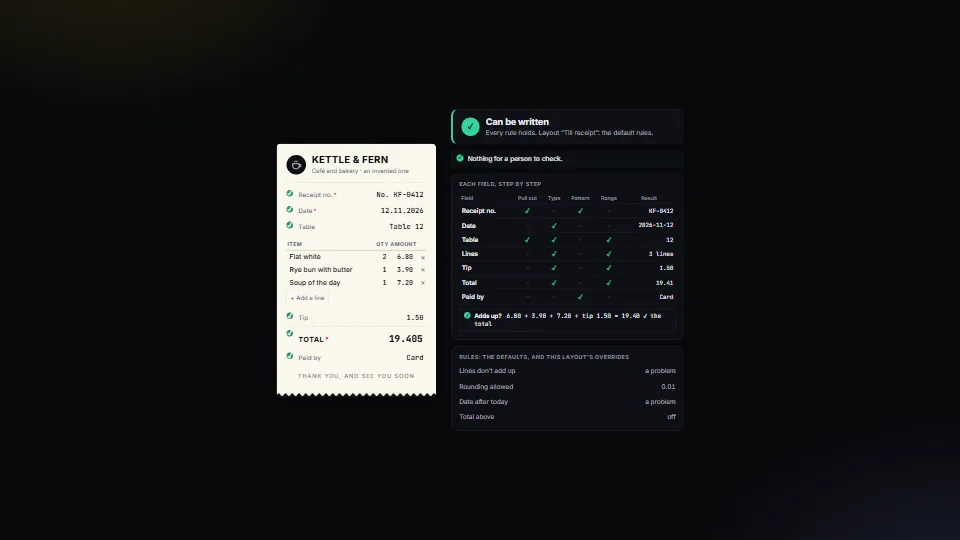
Field rules: when a person must check
Decides, for every value read from a document or a form, whether it can be written or a person must look, and says why in plain English.
0.47 CPU ms
 Data & layout