 Data & layout
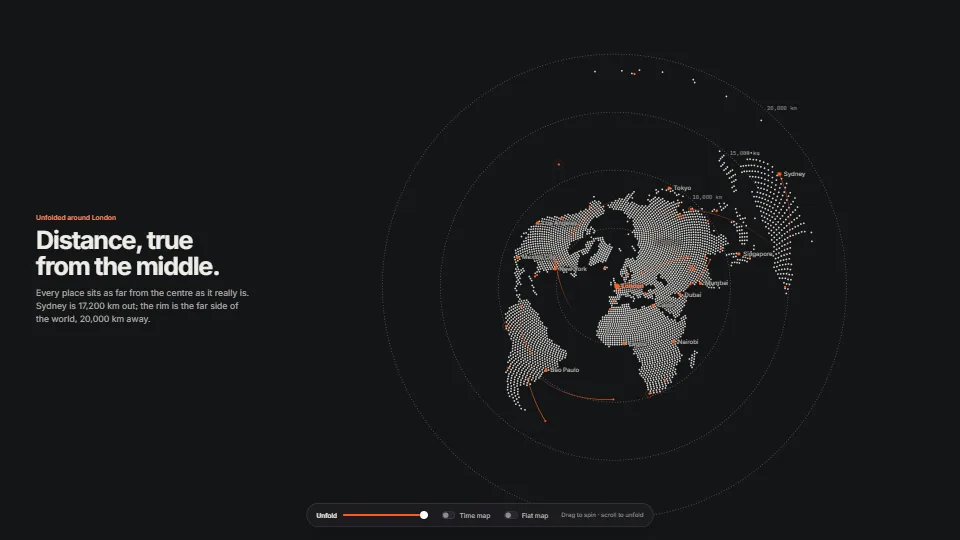
Dot globe that unfolds into a map
The world drawn with one primitive, the anti-aliased dot.
0.79 GPU · 0.36 CPU ms
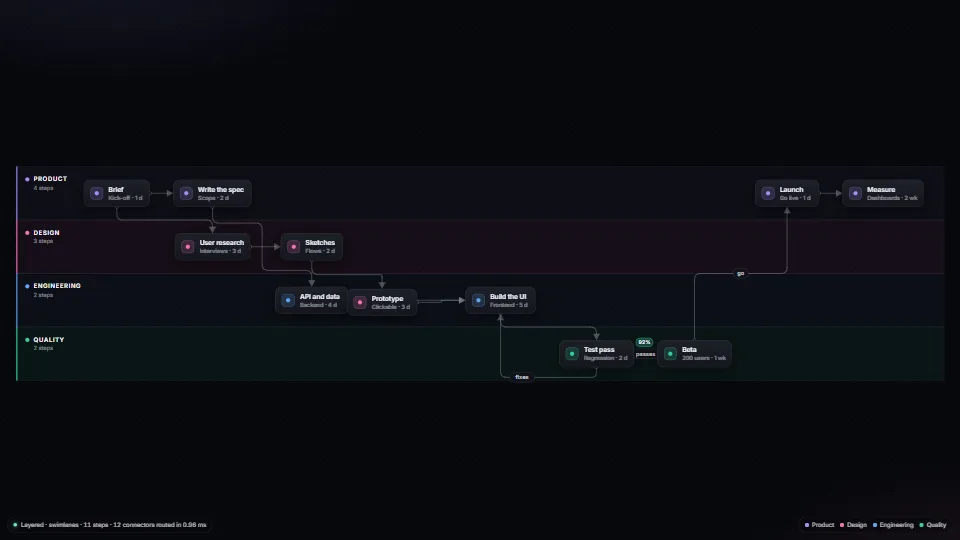
Orthogonal connectors routed round every box by A* over a sparse grid, with a bend cost and a tie-break that keeps elbow corners from flipping as things move…
Measured 11 November 2026 on 13th Gen Intel(R) Core(TM) i9-13900H, Chrome 157, 1920×1080 at 1×. 600 frames × 3 rounds, median kept. What ran: Measured in the layered layout with one step circling through its neighbours, so every frame routes all 12 connectors afresh (A* round all 11 steps each) and redraws them. Idle, nothing moves and nothing is routed: 0 ms. Phones: tiers are being measured next.
| Machine | GPU ms | CPU ms | CPU p95 |
|---|---|---|---|
| unknown GPU · 13th Gen Intel(R) Core(TM) i9-13900Hreference · measuring tool | not timed | 0.91 | 1.82 |
| apple · Apple A19 Proin a browser tab · 16 November 2026 | not timed | 2.54 | 6.18 |
| Intel Arc 140V (Xe2-LPG) · Intel Core Ultra 7 258Vin a browser tab · 15 November 2026 | not timed | 1.00 | 1.70 |
Bars against one 16.7 ms frame. A browser-tab run is timed in a visible tab without the tool’s scripted input, so read it as close, not exact.
avoid and the arrowhead’s length as the end clearance, and draw it where it says, on the line or beside it.From SpaciousPro. Fully custom code.
WAI-ARIA Authoring Practices Guide (W3C): the Radio Group pattern for the demo’s arrow-key switch, and a polite live region that reads each step reached
A* search (Hart, Nilsson and Raphael, 1968): The router’s search: shortest path with a Manhattan-distance heuristic, over (node, heading) states so a corner can cost extra.
Orthogonal connector routing (Wybrow, Marriott and Stuckey, 2009): The published form of the same idea: a sparse orthogonal grid from the obstacles’ edges, searched for the shortest route with the fewest bends.
Layered graph drawing (Sugiyama, Tagawa and Toda, 1981): The layered layout’s four steps: break cycles, assign layers, order each layer by its neighbours’ average place (barycentre) to cut crossings, then place.
Data & layoutThe world drawn with one primitive, the anti-aliased dot.
 Data & layout
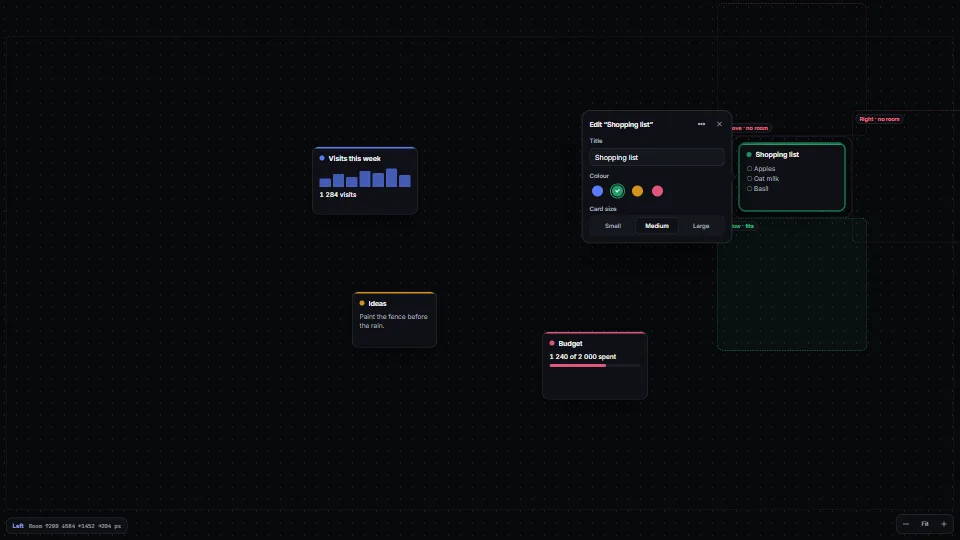
Puts an editor, popover or inspector beside the item it edits, never on top of it.
 Data & layout
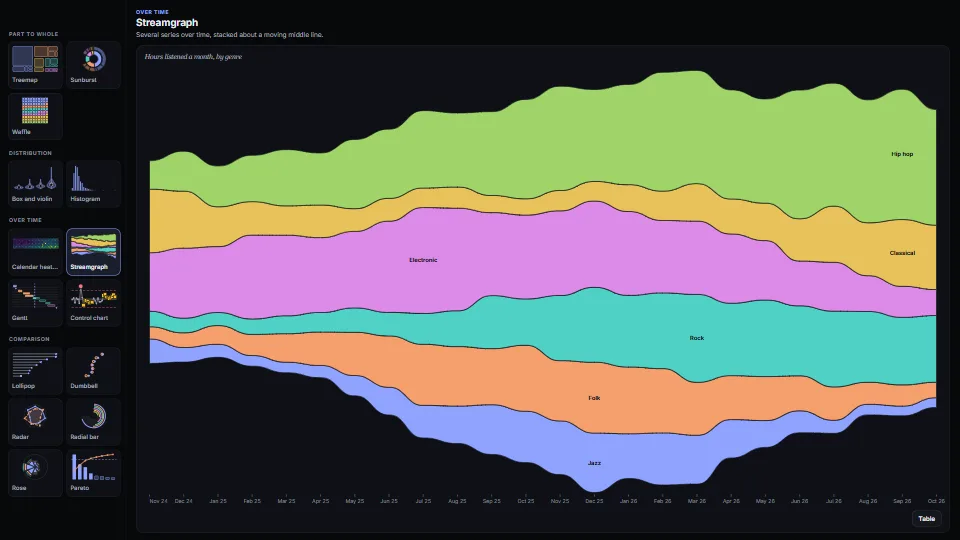
Fifteen chart types as plain functions that return SVG, each with its numbers as a table and words for every mark.
 Data & layout
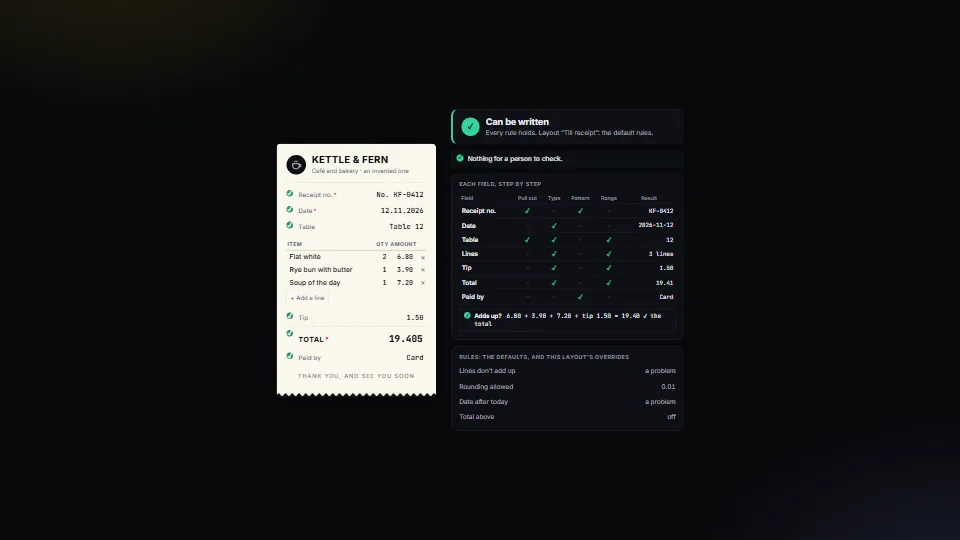
Decides, for every value read from a document or a form, whether it can be written or a person must look, and says why in plain English.