 Systems & tooling
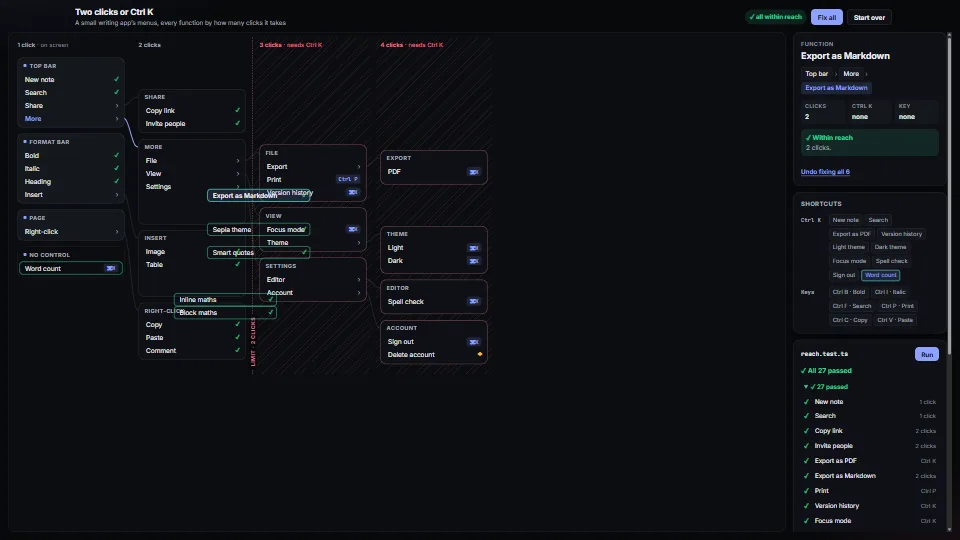
Two clicks or Ctrl K
0.10 CPU ms
Still
The live demo starts when it’s in view.Pick a ▲ function, then a fix · arrow keys walk the map · Fix all, or change the limit
A test that fails when any function in an app is more than two clicks away and has no Ctrl K command.
What it costs a frame
0.10 ms
- GPU
- not used
- CPU, median
- 0.10 ms
- CPU, 95th pct
- 0.20 ms
- Draw calls
- 0
- Weight
- Light
Measured 13 November 2026 on RTX 4060 Laptop, 13th Gen Intel(R) Core(TM) i9-13900H, Chrome 157, 1920×1080 at 1×. 600 frames × 3 rounds, median kept (rounds ranged CPU 0.10–0.21 ms). What ran: Measured with the demo fixing every function and starting over in turn, about twice a second: each time the reach test runs over 27 functions, the map is laid out again and every moved control and its line glide to their new places. Idle, nothing runs. Phones: tiers are being measured next.
| Machine | GPU ms | CPU ms | CPU p95 |
|---|---|---|---|
| RTX 4060 Laptop · 13th Gen Intel(R) Core(TM) i9-13900Hreference · measuring tool | not timed | 0.10 | 0.20 |
| apple · Apple A19 Proin a browser tab · 16 November 2026 | not timed | 0.18 | 0.40 |
| Intel Arc 140V (Xe2-LPG) · Intel Core Ultra 7 258Vin a browser tab · 15 November 2026 | not timed | 0.20 | 0.37 |
Bars against one 16.7 ms frame. A browser-tab run is timed in a visible tab without the tool’s scripted input, so read it as close, not exact.
What it needs
- Renders with
- DOM and CSSPlain DOM and CSS: every current browser.
- Your browser
- Runs hereNo WebGPU needed
- Depends on
- NothingNo other packages
What it’s for
- Keeping a growing app’s functions findable
- A unit test over the menus as they are defined
- Reviewing an app’s map before a redesign
- Deciding what goes in the command palette
- Catching a feature added with no way in
- Holding a hand-kept feature map to the source
Pitfalls, in brief
- The model checks the map you give it, not the screen.
- Clicks count from the app as it opens, with what the function acts on already selected.
- A submenu that opens on hover costs 0 clicks for a mouse but not for touch or a keyboard: give it cost 0 only if you also check those another way.
- A key counts as a way in by default, as in the app this came from; keys are invisible until learnt.
- Allow a function deep only with a reason (a delete that can’t be undone).
2 more in brief
- Moving a control up gives it its function’s name as its label (“Export as Markdown”, not “Markdown”), since it no longer sits under the menu that named it.
- fixAll applies one fix at a time and re-checks, so two fixes never fight; still review what it did before you change real menus.
7 pitfalls in full, the hook-up guide, the module source and its tests come with the part.
Where it comes from
From SpaciousPro. Fully custom code.
WAI-ARIA Authoring Practices Guide (W3C): the Tree View pattern for the demo’s map (one Tab stop, arrow keys, aria-level, aria-setsize and aria-posinset on a flat list), and a polite live region for each fix
Near it in the frame
Systems & tooling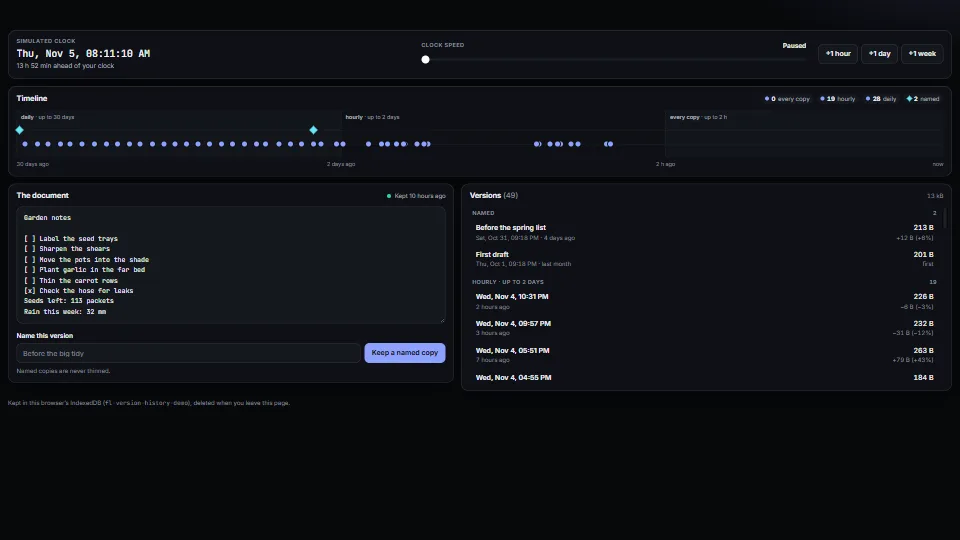 Systems & tooling
Automatic version history, thinned with age
A copy of a document kept by itself a few minutes into each stretch of changes, and named copies on demand; thinned as they age (every copy for two hours…
0.05 CPU ms
 Systems & tooling
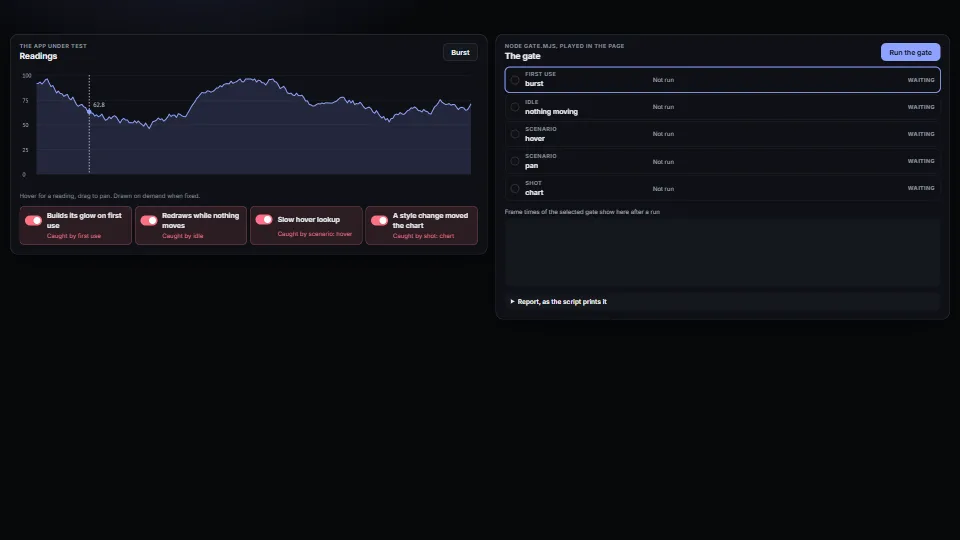
Performance and visual gates for any app
A gate an app copies, with no packages: one Node script opens the app in headless Chrome on a fresh profile at an exact viewport and fails the run when a budget breaks.
0.03 CPU ms
 Systems & tooling
Undo that says what it undoes
An undo/redo history whose steps carry a few words, so the buttons say “Undo Move ‘Dune’”; one drag or one typing session is one step, and so is a drag of a…
0.19 CPU ms