The live demo starts when it’s in view.Esc or the Pause button opens the ring · arrows move round it · Settings opens the sheet · Change, then press a key
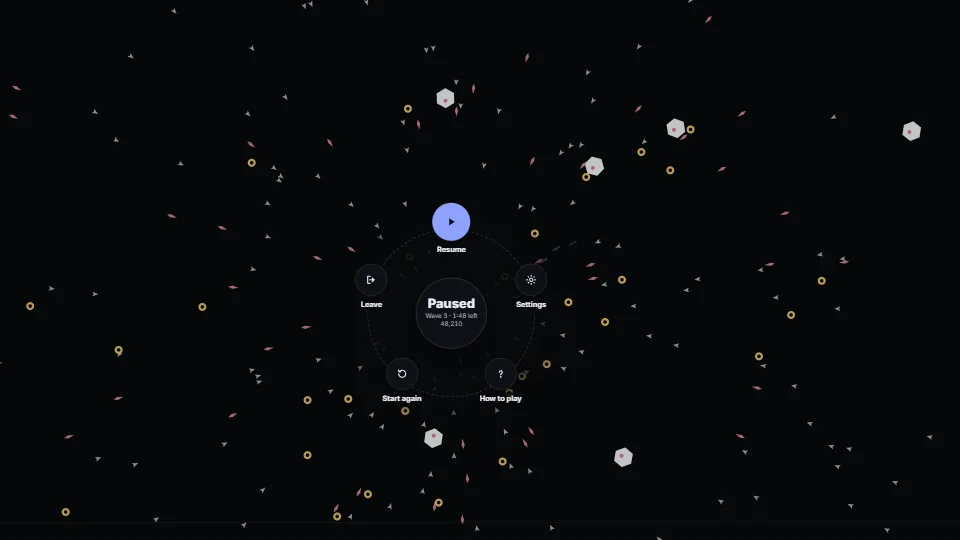
The pause menu as a ring of round buttons gathered round the frozen player, chosen with the arrow keys or by pushing a stick toward one, and settings that a…
The pause menu as a ring of round buttons gathered round the frozen player, chosen with the arrow keys or by pushing a stick toward one, and settings that a game actually needs: Sound with a volume, Motion (shake, flashes, the hit pause), the quality tier in words ("Auto chose Full for this graphics card"), and key rebinding with a little keyboard that lights each key in its action’s colour. Change listens for the next key, Esc cancels, a key another action had is swapped and said. It makes the content; your dialogs (accessible-dialog) hold it, so focus, Esc, the inert world behind and reduced motion are theirs.
Measured 21 November 2026 on RTX 4060 Laptop, 13th Gen Intel(R) Core(TM) i9-13900H, Chrome 157, 1920×1080 at 1×. 600 frames × 3 rounds, median kept (rounds ranged CPU <0.01–<0.01 ms). What ran: Alone: the pause ring open over a plain field; the settings sheet opened and closed by bench steps. Phones: tiers are being measured next.
How steadily it runs on RTX 4060 Laptop · 13th Gen Intel(R) Core(TM) i9-13900H · reference
Typical frame ?
16.72 ms
1% low ?
49 fps
Varies by ?
±0.63 ms
All metricsRTX 4060 Laptop · 13th Gen Intel(R) Core(TM) i9-13900H · referenceHow long each frame took. Most frames sit in the tall bars; a long tail to the right is hitching.
Frames run on a 60 Hz timer (a page demo), so most frames take about one tick, 16.7 ms: the spread around it is what matters.
Frames
Median (p50) ?
16.72 ms
p95 ?
17.84 ms
p99 ?
19.23 ms
Slowest ?
22.75 ms
Mean ?
16.83 ms
Standard deviation ?
0.63 ms
1% low ?
49 fps
0.1% low ?
44 fps
Hitches ?
0 of 600
Over budget ?
0 of 600
Main thread
Long tasks ?
0
Long frames ?
0
Event-loop delay ?
0.1 / 0.3 / 0.4 ms
Input
Interactions ?
4
Input to paint ?
4.3 ms, worst 15.9
Longest handler ?
2.2 ms
Memory
JavaScript heap ?
33.7 → 34.2 MB
Growth ?
+0.48 MB
Browser
JavaScript a frame ?
0.11 ms
All tasks a frame ?
0.34 ms
Layout / style ?
0.00 / 0.01 ms
Main thread busy ?
2%
Garbage collection
Collections ?
0 (0 minor, 0 major)
Pauses ?
0.0 ms in all, longest 0.0
What it needs
Renders with
DOM and CSSPlain DOM and CSS: every current browser.
Your browser
Runs hereNo WebGPU needed
Depends on
NothingNo other packages
With an agent
install("game-menus")Your coding agent reads its pitfalls and installs it through the library’s MCP server. Set it up
What it’s for
The pause menu of a 2D or 3D action game
A settings sheet with sound, motion and the graphics tier
Letting players rebind keys, with clashes swapped and said
A radial menu that a pad’s stick can point into
Pitfalls, in brief
The module makes content, not dialogs.
The ring places itself with ring.at(x, y) in its container’s pixels: give the dialog’s panel the whole stage with no padding (the demo’s gmd-ring-layer rules) and pass the frozen player’s screen point.
Pause draws one still frame and stops the loop: a paused game should rest, not redraw the same picture sixty times a second.
Rebinding listens on window in the capture phase and stops the key there, so Esc cancels the change instead of closing the dialog.
Keep keys a game reads fixed by the keymap: test keymap.matches(action, event) in your key handler, never a hard-coded key, or rebinding changes the picture and not the game.
3 more in brief
A clash swaps rather than refuses: the action that had the key gets the old key of the one being changed, and both are said through the say() you pass (your HUD’s live region).
The quality choice only reports: apply the tier yourself in set(), and keep a tier the player chose fixed (capability-tiers never steps a chosen tier down).
The settings switches read an EffectSwitches-like object (on, toggle, subscribe): with effects-switchboard, make it with hotkey: null in a game, since E sits next to WASD.
8 pitfalls in full, the hook-up guide, the module source and its tests come with the part.
Where it comes from
From another of the maker’s apps. Fully custom code.
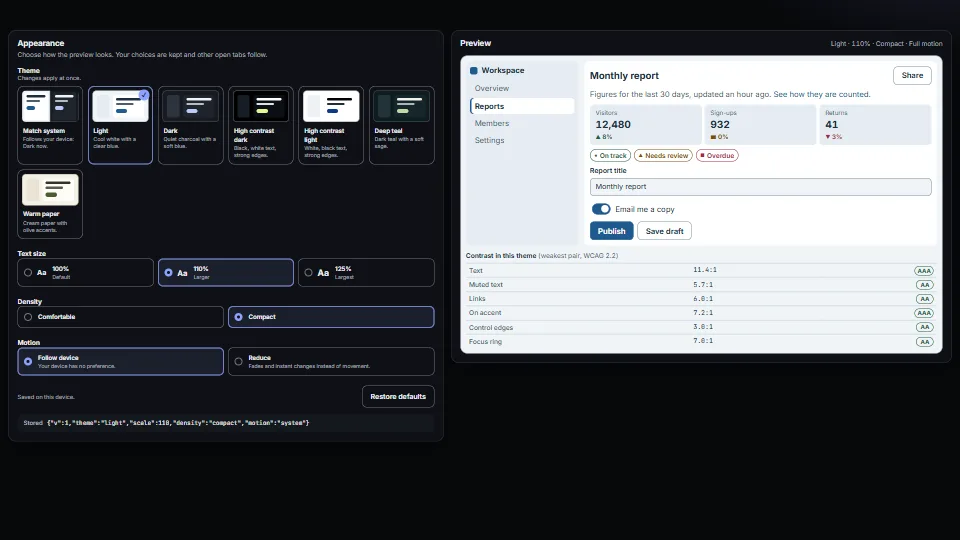
A small appearance system: colour presets as CSS variables (light, dark, two high-contrast, two accent looks), a “Match system” choice that follows the…
 UI & interactionNew
 UI & interactionNew
 UI & interactionNew