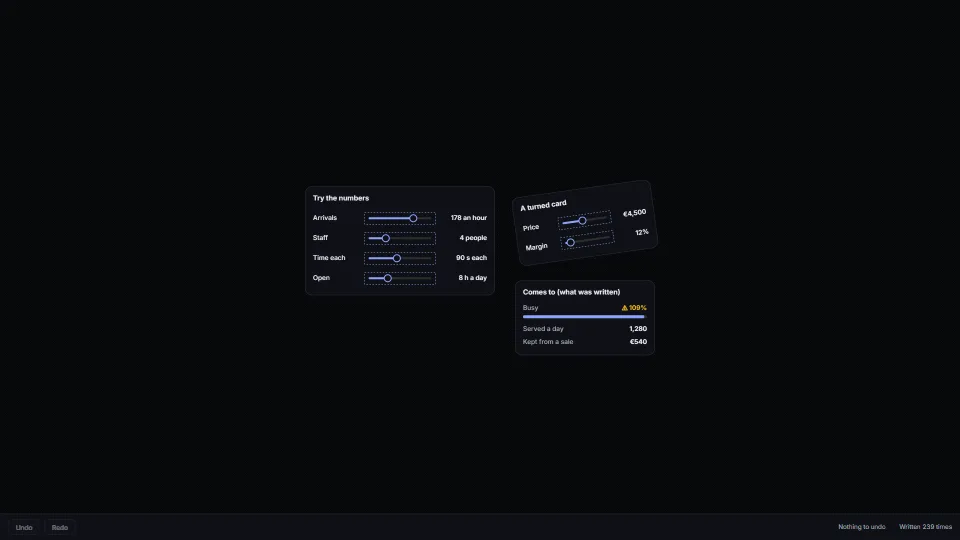
The live demo starts when it’s in view.Drag a thumb (the turned card too) · Tab to a slider and use the arrows · Ctrl Z undoes a whole drag · Esc mid-drag puts it back
A slider drawn on a 2D canvas that feels like a real one.
What it costs a frame
CPU
0.59 ms
02468101216.7 ms
GPU
not used
CPU, median
0.59 ms
CPU, 95th pct
0.79 ms
Draw calls
0
Weight
Moderate
Measured 16 November 2026 on RTX 4060 Laptop, 13th Gen Intel(R) Core(TM) i9-13900H, Chrome 157, 1920×1080 at 1×. 600 frames × 3 rounds, median kept (rounds ranged CPU 0.58–0.60 ms). What ran: Measured with a drag playing itself: each frame moves the Arrivals thumb (drawn at the pointer at once, written every 60 ms), the readout card eases toward what was written, and the whole board is drawn again on a 2D canvas with its hit boxes and stand-in inputs. Phones: tiers are being measured next.
How steadily it runs on RTX 4060 Laptop · 13th Gen Intel(R) Core(TM) i9-13900H · reference
Typical frame ?
16.80 ms
1% low ?
55 fps
Varies by ?
±0.48 ms
All metricsRTX 4060 Laptop · 13th Gen Intel(R) Core(TM) i9-13900H · referenceHow long each frame took. Most frames sit in the tall bars; a long tail to the right is hitching.
Frames run on a 60 Hz timer (a page demo), so most frames take about one tick, 16.7 ms: the spread around it is what matters.
Frames
Median (p50) ?
16.80 ms
p95 ?
17.73 ms
p99 ?
18.00 ms
Slowest ?
18.50 ms
Mean ?
16.86 ms
Standard deviation ?
0.48 ms
1% low ?
55 fps
0.1% low ?
54 fps
Hitches ?
0 of 600
Over budget ?
0 of 600
Main thread
Long tasks ?
0
Long frames ?
0
Event-loop delay ?
0.0 / 0.9 / 1.2 ms
Input
No input during this run.
Memory
JavaScript heap ?
32.7 → 30.0 MB
Growth ?
-2.72 MB
Browser
JavaScript a frame ?
0.67 ms
All tasks a frame ?
1.09 ms
Layout / style ?
0.09 / 0.01 ms
Main thread busy ?
7%
Garbage collection
Collections ?
6 (4 minor, 2 major)
Pauses ?
9.2 ms in all, longest 1.3
What it needs
Renders with
Canvas 2DA 2D canvas: every current browser.
Your browser
Runs hereNo WebGPU needed
Depends on
NothingNo other packages
What it’s for
Sliders and knobs on a whiteboard or board card
What-if numbers on a canvas dashboard
Controls inside a game or a design tool’s canvas
Any value worked out elsewhere (a worker, a server) and shared with co-editors while it is dragged
Pitfalls, in brief
Record hit boxes while drawing, in the item’s own frame, and hit-test by turning the pointer into that frame (toLocal): a box worked out separately drifts from what is drawn, and a turned card’s boxes would need turning too.
Give a thin track slack (the default is 8 px beside it, 10 above and below, so 24 px tall in all): a 4 px line is too hard to press, with a finger above all.
Draw the dragged value from the pointer, never from the store: the store only hears every 60 ms, and a value worked out elsewhere (a worker, a co-editor’s copy) comes back later still.
Call tick() every frame while dragging: a pointer that stops between two writes is otherwise written only on release, and the rest of the app shows an old value meanwhile.
Hold one undo step open for the whole drag (hold() on start, close() on release): every throttled write would otherwise be its own step, a dozen Ctrl Z presses for one drag.
4 more in brief
Set the range when the control is made and store it with the control.
Rewrite only the number in what was typed (withNumber): a unit or symbol round it (“120 an hour”, “€45”) is the person’s, and a drag must not strip it.
A canvas has no keyboard or names: lay the proxies’ range inputs over the drawn controls (createSliderProxies) and draw no focus ring on the canvas; the input’s own ring sits on the control, turned with its card.
Draw the number in a column of its own, flush to its end, so a longer number never moves the track.
9 pitfalls in full, the hook-up guide, the module source and its tests come with the part.
Where it comes from
From My other apps. Fully custom code.
WAI-ARIA Authoring Practices Guide (W3C): The slider pattern’s keys (arrows a step, Page keys more, Home and End) and aria-valuetext, through native range inputs.
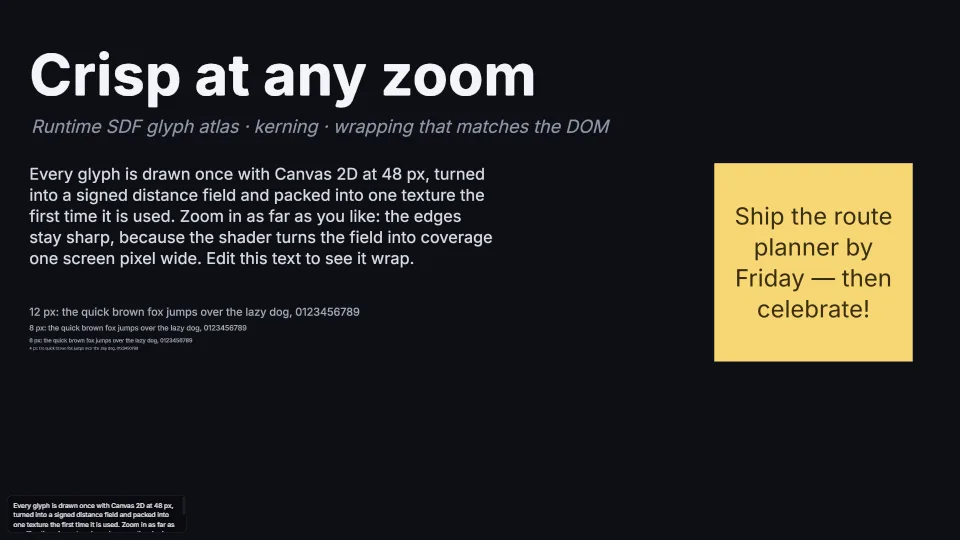
Crisp text at 2% or 6400%: glyphs rasterised on first use with Canvas 2D, turned into signed distance fields by an exact distance transform, packed into one…
 Canvas & 2D
 Canvas & 2D
 Canvas & 2D
 Canvas & 2D