 Canvas & 2D
Brush tips with world-anchored patterns
0.78 CPU ms
Still
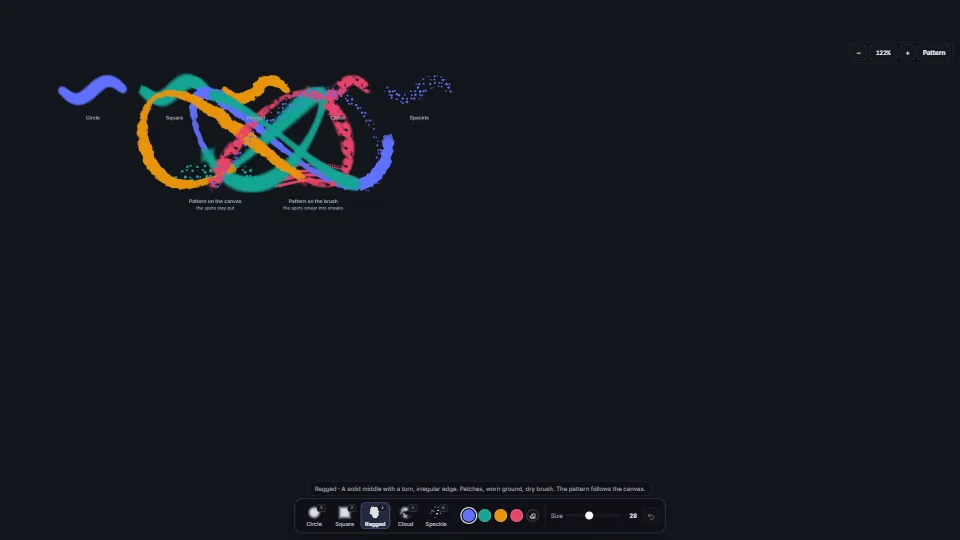
The live demo starts when it’s in view.Paint with a mouse, a finger or a pen · two fingers or the middle button pan · click, then the wheel zooms · 1–5 tips
Five brush tips as pure functions of a point: a soft circle, a square that turns, a ragged edge that tears, a mottled cloud and a speckle of spots.
What it costs a frame
0.78 ms
- GPU
- not used
- CPU, median
- 0.78 ms
- CPU, 95th pct
- 1.82 ms
- Draw calls
- 0
- Weight
- Moderate
Measured 13 November 2026 on RTX 4060 Laptop, 13th Gen Intel(R) Core(TM) i9-13900H, Chrome 157, 1920×1080 at 1×. 600 frames × 3 rounds, median kept (rounds ranged CPU 0.73–0.86 ms). What ran: Measured painting by itself: a looping stroke laid at about 25 dabs a frame, cycling through the five tips every 3 s, while the view pans and zooms slowly; the canvas is cleared when it reaches 60 tiles. Idle, nothing is drawn. Phones: tiers are being measured next.
| Machine | GPU ms | CPU ms | CPU p95 |
|---|---|---|---|
| RTX 4060 Laptop · 13th Gen Intel(R) Core(TM) i9-13900Hreference · measuring tool | not timed | 0.78 | 1.82 |
| apple · Apple A19 Proin a browser tab · 16 November 2026 | not timed | 1.62 | 2.24 |
| Intel Arc 140V (Xe2-LPG) · Intel Core Ultra 7 258Vin a browser tab · 15 November 2026 | not timed | 0.68 | 1.16 |
Bars against one 16.7 ms frame. A browser-tab run is timed in a visible tab without the tool’s scripted input, so read it as close, not exact.
What it needs
- Renders with
- Canvas 2DA 2D canvas: every current browser.
- Your browser
- Runs hereNo WebGPU needed
- Depends on
- NothingNo other packages
What it’s for
- A paint or sketch tool on the web
- Terrain, splat-map and ground-material painting in a level editor
- Masks with torn or speckled edges (dirt, wear, gravel)
- Brushes in a map or diagram editor
- A preview under the pointer that matches the dab exactly
Pitfalls, in brief
- The pattern must be sampled at the world point, not at the offset from the dab’s centre.
- Size the pattern from the brush’s set size (patternRadius), not from each dab’s: pen pressure changes the dab’s radius every few pixels, and a pattern that scales with it no longer lines up between dabs.
- The pattern is sized by the brush (patternScale): a big ragged brush tears in big pieces.
- Ragged tears where the falloff is weak, so a hard ragged brush (hardness 1) has almost no rim to tear.
- Evaluate a dab once per tile it overlaps, in world coordinates, and only over the texels it can reach (brushReach: a square’s corners reach √2 past its radius).
6 more in brief
- A preview under the pointer should call the same brushInfluence (or sample the same pattern bytes on the GPU, as the source does) at the same world points; a drawn circle or an icon of the tip lies about what the dab will lay.
- Space dabs along the path by distance (a share of the radius), not one per pointer event: a fast mouse leaves gaps and a slow one piles dabs up.
- Mouse buttons report a pressure of 0.5 while pressed and many touch screens 0 or 1: read pressure only from pens (pointerType "pen"), or a mouse paints at half strength.
- A stroke’s undo is the tiles as they were at its first dab.
- End a stroke on lostpointercapture as well as pointerup and pointercancel: an up the canvas never sees leaves the stroke open, and the next mouse move paints with no button down.
- patternData builds both patterns on first use (two 128 × 128 passes, a few milliseconds): call it once at load if the first dab must not wait.
11 pitfalls in full, the hook-up guide, the module source and its tests come with the part.
Where it comes from
From HaTac. Fully custom code.
Mulberry32, by Tommy Ettinger: The small seeded generator that builds both patterns, as in the source (public domain).
Near it in the frame
Canvas & 2D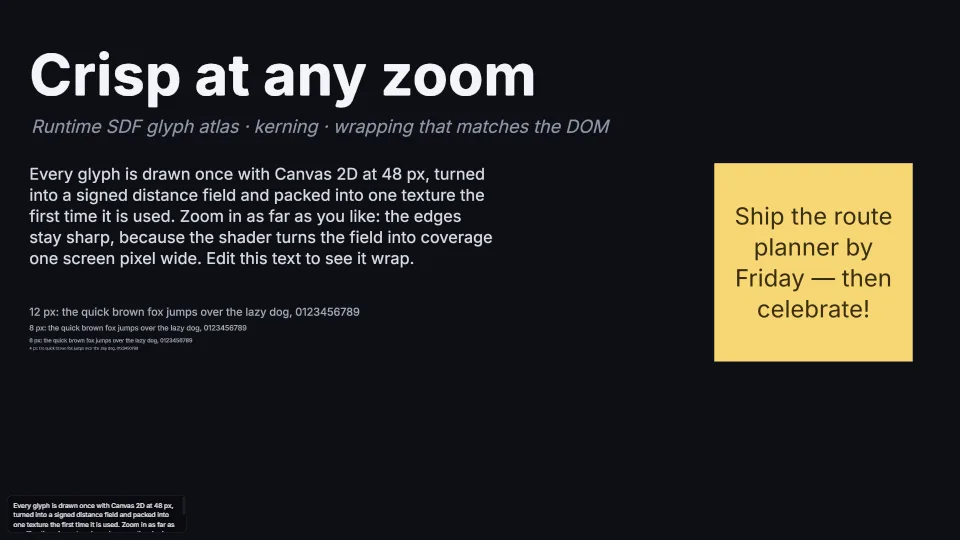 Canvas & 2D
SDF text at any zoom
Crisp text at 2% or 6400%: glyphs rasterised on first use with Canvas 2D, turned into signed distance fields by an exact distance transform, packed into one…
0.09 GPU · 0.41 CPU ms
 Canvas & 2D
 Canvas & 2D