Feature Library

Camera director

0.28 GPU · 0.33 CPU ms
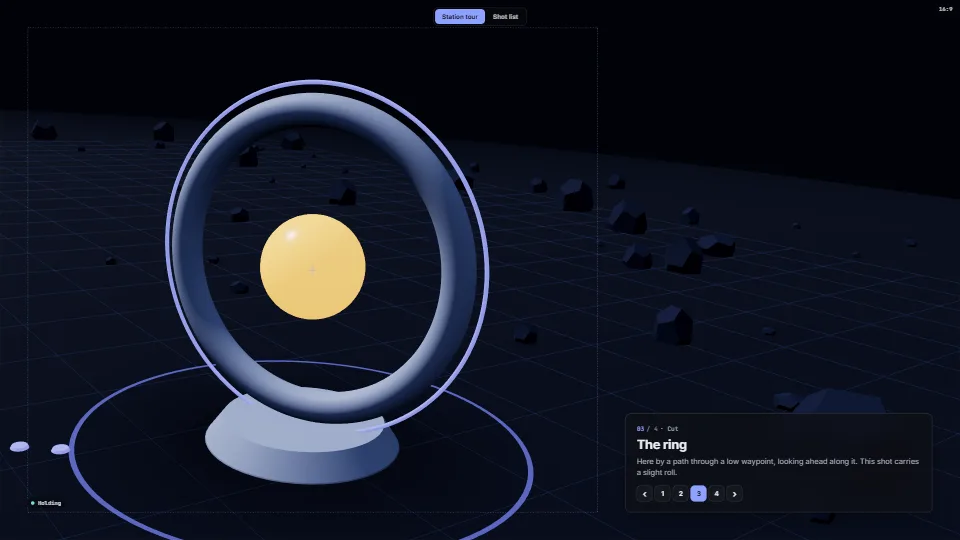
A still of the Camera director demo
Still
The live demo starts when it’s in view.Page Up/Down or the numbers to travel · drag to look around · Shot list: scrub, drag cues, then Fix it

Cinematic camera moves between stations in a 3D world, with shots as data.

What it costs a frame

0.28 ms
0.33 ms
GPU
0.28 ms
CPU, median
0.33 ms
CPU, 95th pct
0.63 ms
Draw calls
26
Weight
Light

Measured 11 November 2026 on RTX 4060 Laptop, 13th Gen Intel(R) Core(TM) i9-13900H, Chrome 157, 1920×1080 at 1×. 600 frames × 3 rounds, median kept. What ran: Measured touring by itself: a cue every 2.5 s after arrival (fly-over, path with look-ahead, spring, path), the slow orbit drift while holding, the 16:9 frame letterboxed in the stage. The director itself is a few microseconds; the frame is the small world drawn. Phones: tiers are being measured next.

On every machine it was measured on
MachineGPU msCPU msCPU p95
RTX 4060 Laptop · 13th Gen Intel(R) Core(TM) i9-13900Hreference · measuring tool0.280.330.63
apple · Apple A19 Proin a browser tab · 16 November 20261.090.100.14
Intel Arc 140V (Xe2-LPG) · Intel Core Ultra 7 258Vin a browser tab · 15 November 20261.250.390.51

Bars against one 16.7 ms frame. A browser-tab run is timed in a visible tab without the tool’s scripted input, so read it as close, not exact.

What it needs

Renders with
WebGPU or WebGLWebGPU where there is one, WebGL2 where there is not.
Your browser
Runs hereNo WebGPU needed
Depends on
three.js 0.187.0No other packages

What it’s for

  1. Live stage shows travelling one 3D world
  2. Story stations and guided tours of a model or a map
  3. Product showcases with text beside the subject
  4. Title and splash camera moves
  5. Cutscenes and attract loops
  6. Framing a subject for any screen shape, from a phone to a 32:9 wall
  7. Authoring camera moves for a cinematic or a show, on a timeline
  8. Checking that a camera path never passes through the set

Pitfalls, in brief

  1. Apply the pose after anything that rebuilds the projection: camera.updateProjectionMatrix() (your resize handler, a library’s) drops the lens shift. applyPose() sets the projection and its inverse, so call it last each frame the pose changed and after every resize.
  2. The lens is in the projection, so anything that rebuilds a projection from fov and aspect alone (a second camera for picking, a depth pre-pass, an XR camera, setViewOffset) loses it.
  3. Raw WebGPU wants depth 0..1 and WebGL -1..1: say which to projectionMatrix() (zero-to-one is the default). three.js picks its own.
  4. Give the director the screen’s real shape and safe area (setView) on every resize, before update(); a held shot then snaps to the new framing (a resize should not animate).
  5. Fitting depends on the field of view and the screen: a shot with fit changes its distance per screen shape; a shot with a fixed distance does not, and may not fit a narrow screen.
11 more in brief
  1. Durations, settle times and the drift are in seconds of show time; speed scales them all.
  2. Keep pitch away from ±90°: looking straight down, “up” is undefined and the view spins.
  3. A dissolve only gives you its veil (0..1): draw your backdrop over the picture at that opacity (a DOM layer, or a full-screen quad).
  4. update() returns false when nothing changed: you may skip the draw.
  5. Paths are made once per go(); the frame loop then makes next to no garbage.
  6. While a sequence player owns a director, call player.update(dt) and not director.update(dt): it steps the cue clock and the camera together.
  7. Paused or scrubbing, the player holds the camera at the cursor’s pose (a move under way stays put); the viewer’s orbit still moves.
  8. A shot with a start cuts to it when its cue comes; one without starts wherever the camera is, so its path, and its collision check, depend on the shot before it.
  9. Box proxies are axis-aligned and grown by pad (default 0.6 world units) on every side: give a rotated prop a box that holds it, and set pad to at least the camera’s near plane plus a margin.
  10. Fix it only raises cameras (framings, or a path’s waypoints): it never lowers, moves sideways or retimes.
  11. Eases in a sequence are names (it saves as JSON) and the director gets the functions from moveOf(); parseSequence() checks a loaded file strictly and throws, so keep the working sequence until it returns.
16 pitfalls in full, the hook-up guide, the module source and its tests come with the part.

Where it comes from

From HaTac. Fully custom code.

Edwin Catmull & Raphael Rom, A class of local interpolating splines (1974): The spline the paths run through their waypoints.

Cem Yuksel, Scott Schaefer & John Keyser, Parameterization and applications of Catmull–Rom curves (2011): The centripetal parameterisation (alpha 0.5), which never loops or cusps; evaluated with Barry and Goldman’s pyramidal form. Written here from the paper.

Ken Perlin, Improving noise (SIGGRAPH 2002): The quintic smootherstep, EASE.smooth.

Timothy L. Kay & James T. Kajiya, Ray tracing complex scenes (SIGGRAPH 1986): The slab method: collision.ts tests each stretch of the camera’s path against a box with it. Written here from the method.

Mark Jarzynski & Marc Olano, Hash Functions for GPU Rendering (2020): Their PCG hash scatters the demo’s stones (demo only, not the module).

cameracinematicshotsstationsspringscritically dampedcatmull-romcamera pathfly-overlens shiftoff-axis projectionsafe areaframingultra-wideled wallreduced motiondeterministicshot listtimelinescrubpush-inorbitcranetracking shot

Near it in the frame