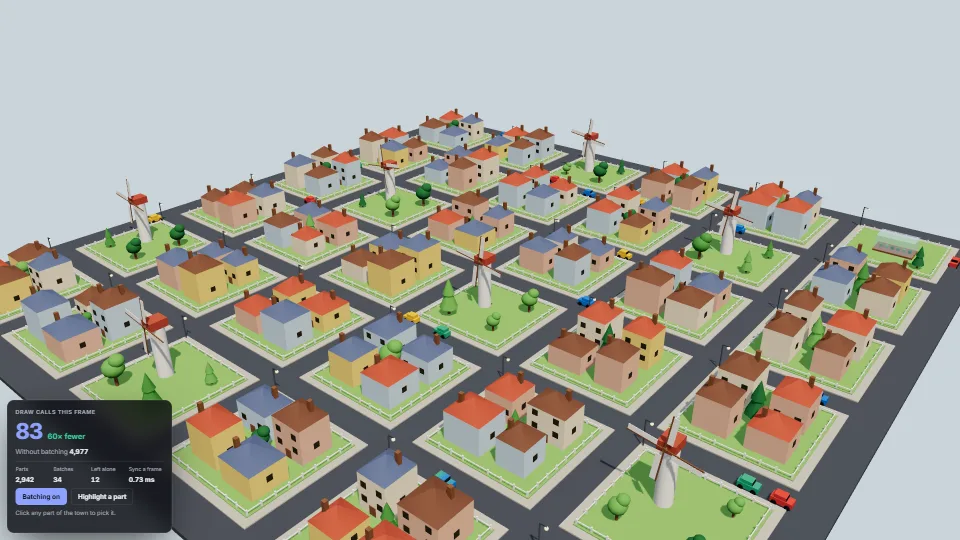
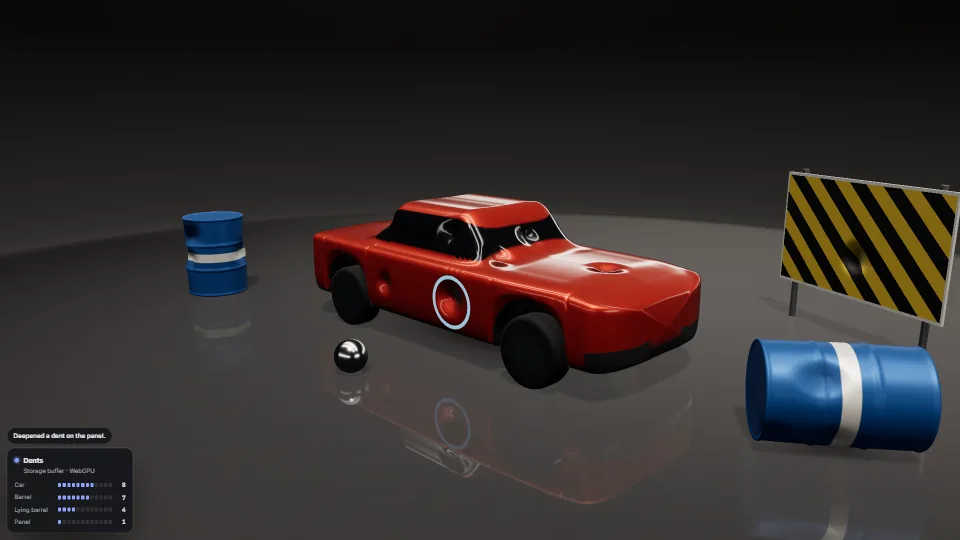
The live demo starts when it’s in view.Click any part to pick it · turn batching off in the card to see the same frame drawn part by part
Every plain opaque mesh in a scene is drawn through shared InstancedMeshes, one per geometry, material and shadow flags, with no change to the code that builds the scene.
What it costs a frame
GPU
0.51 ms
CPU
1.45 ms
02468101216.7 ms
GPU
0.51 ms
CPU, median
1.45 ms
CPU, 95th pct
1.84 ms
Draw calls
83
Weight
Moderate
Measured 14 November 2026 on RTX 4060 Laptop, 13th Gen Intel(R) Core(TM) i9-13900H, Chrome 157, 1920×1080 at 1×. 600 frames × 3 rounds, median kept (rounds ranged GPU 0.40–0.51, CPU 1.43–1.47 ms). What ran: Measured batched, at the default six-by-six town (about 2,900 parts: houses, fences, trees, lamps, windmills and cars) with the traffic and sails moving, so the moving parts rewrite their batches every frame. CPU time includes the scene walk and the instance writes. Turn batching off in the panel to see the same frame drawn part by part. Phones: tiers are being measured next.
apple · Apple A19 Proin a browser tab · 16 November 2026
4.74
1.64
2.12
Intel Arc 140V (Xe2-LPG) · Intel Core Ultra 7 258Vin a browser tab · 15 November 2026
2.95
3.86
4.73
Bars against one 16.7 ms frame. A browser-tab run is timed in a visible tab without the tool’s scripted input, so read it as close, not exact.
What it needs
Renders with
WebGPU or WebGLWebGPU where there is one, WebGL2 where there is not.
Your browser
Runs hereNo WebGPU needed
Depends on
three.js 0.187.0No other packages
What it’s for
Machines, rigs and buildings made of hundreds of small rigid parts
Kit-built levels: walls, props, fences and trees placed one by one
A scene whose code you cannot or do not want to rewrite for instancing
Cutting the CPU cost of shadow and reflection passes
Checking how many draw calls a scene really needs
Pitfalls, in brief
Call sync() once a frame, after everything has moved and just before render().
The originals move to layer 31 (option layer): a camera or raycaster that enables that layer sees them twice.
Each batch covers the whole scene, so it is never frustum-culled: off-screen parts still go to the GPU (as vertices, at no draw-call cost).
A new geometry, material or shadow flag makes a new batch, and a new batch builds its pipeline on first draw.
Left alone and drawn as before: see-through or not depth-written materials, render orders, morph targets, skinned, instanced and batched meshes, material arrays, meshes not on the default layer alone, meshes with their own onBeforeRender, and node materials unless nodeMaterials is on (their nodes must not read per-object values).
5 more in brief
A mesh whose world matrix is mirrored (negative scale) is drawn as itself while it is mirrored: in a batch its faces would turn inside out.
Material changes are seen through material.version: a material made see-through without needsUpdate = true stays batched until something else changes.
A part taken out of the scene and added to another one without this instancer stays on the hidden layer for up to 120 syncs: call release(mesh) first.
Batching changes draw order: parts in one batch draw together.
Counts are not milliseconds: fewer draw calls save CPU time in the renderer, but sync() walks the scene every frame.
10 pitfalls in full, the hook-up guide, the module source and its tests come with the part.
GLB models ready for a stage: gated before loading (header, size and count budgets, allowed extensions, nothing outside the file, each refusal with a plain…
 Techniques
 Techniques
 Techniques
 Techniques