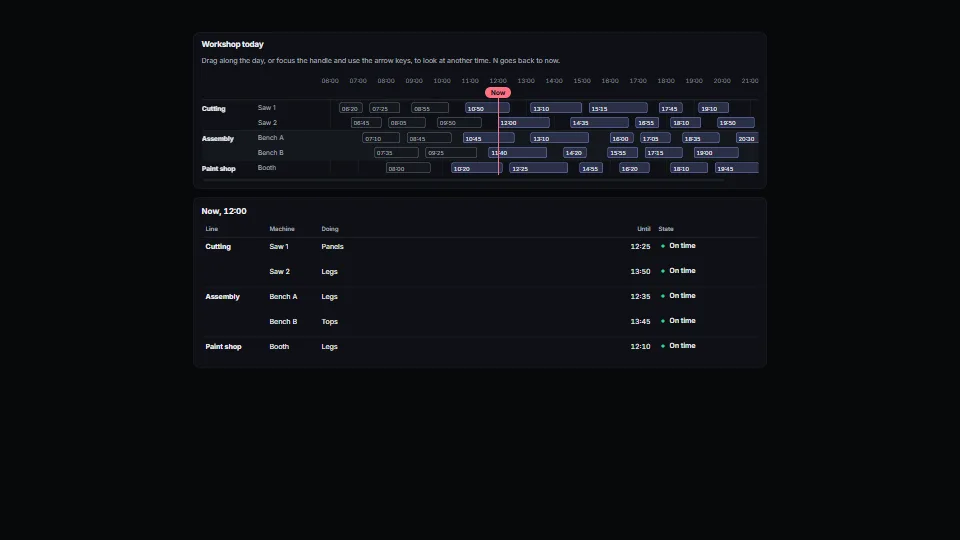
The live demo starts when it’s in view.Drag along the day to look at another time · Tab to the handle: arrows a step, Page Up and Down an hour, Home and End the day’s ends, N back to now · Narrow the window: it scrolls sideways, names held
A day or a shift as rows of spans under an hour axis, a line for now, and a handle you drag along the day (or move with the keys) to look at another moment.
What it costs a frame
CPU
<0.01 ms
02468101216.7 ms
GPU
not used
CPU, median
<0.01 ms
CPU, 95th pct
1.50 ms
Draw calls
0
Weight
Light
Measured 16 November 2026 on RTX 4060 Laptop, 13th Gen Intel(R) Core(TM) i9-13900H, Chrome 157, 1920×1080 at 1×. 600 frames × 3 rounds, median kept (rounds ranged CPU <0.01–<0.01 ms). What ran: Measured with the clock running at five minutes a second and the handle looked ahead and back each second: every frame moves the clock’s line, the handle and the table under it; the rows and spans are built once and only placed by CSS fractions. Phones: tiers are being measured next.
How steadily it runs on RTX 4060 Laptop · 13th Gen Intel(R) Core(TM) i9-13900H · reference
Typical frame ?
16.62 ms
1% low ?
53 fps
Varies by ?
±0.53 ms
All metricsRTX 4060 Laptop · 13th Gen Intel(R) Core(TM) i9-13900H · referenceHow long each frame took. Most frames sit in the tall bars; a long tail to the right is hitching.
Frames run on a 60 Hz timer (a page demo), so most frames take about one tick, 16.7 ms: the spread around it is what matters.
Frames
Median (p50) ?
16.62 ms
p95 ?
17.63 ms
p99 ?
18.10 ms
Slowest ?
22.04 ms
Mean ?
16.71 ms
Standard deviation ?
0.53 ms
1% low ?
53 fps
0.1% low ?
45 fps
Hitches ?
0 of 600
Over budget ?
0 of 600
Main thread
Long tasks ?
0
Long frames ?
0
Event-loop delay ?
0.0 / 0.4 / 3.0 ms
Input
No input during this run.
Memory
JavaScript heap ?
29.9 → 29.6 MB
Growth ?
-0.36 MB
Browser
JavaScript a frame ?
0.11 ms
All tasks a frame ?
1.77 ms
Layout / style ?
0.30 / 0.19 ms
Main thread busy ?
11%
Garbage collection
Collections ?
4 (0 minor, 4 major)
Pauses ?
13.0 ms in all, longest 2.1
What it needs
Renders with
DOM and CSSPlain DOM and CSS: every current browser.
Your browser
Runs hereNo WebGPU needed
Depends on
NothingNo other packages
What it’s for
A control room’s day: vehicles, crossings, deliveries or jobs per lane, with a look-ahead
Room, desk or equipment bookings for one day
A shift plan or a production line’s schedule
Any live view where people need to ask “what will be happening at 15:30?”
Pitfalls, in brief
A box that scrolls sideways clips up and down too: the scroll box is padded on the block axis for the handle’s focus ring, and the track is inset at both ends by half the handle plus the ring (--dtl-end, 32 px), so the handle at the first or last hour is whole and adds no scroll.
The drawing is hidden from screen readers (its spans would be hundreds of unlabelled boxes): the handle says what is happening at its time (valueText), and the app gives the same facts as a table or a summary, named with describedBy.
Times are plain numbers in one unit (minutes since midnight by default).
A look the clock catches up with (within half a step) follows the clock again and onLook(null) is called: update whatever shows the moment from onLook, not only from your own clicks.
Keep step coarse enough to be useful (5 minutes for a day): a one-minute step makes the arrow keys crawl, and the drag rounds to it too.
1 more in brief
Give a span its state in more than colour: hatched for paused or held, planned for a moved start, and words in your table; a tone alone is invisible to some.
6 pitfalls in full, the hook-up guide, the module source and its tests come with the part.
Where it comes from
Written for the library. Fully custom code.
WAI-ARIA Authoring Practices Guide (W3C): The slider pattern: arrows a step, Page keys a bigger one, Home and End, aria-valuetext saying the value in words.
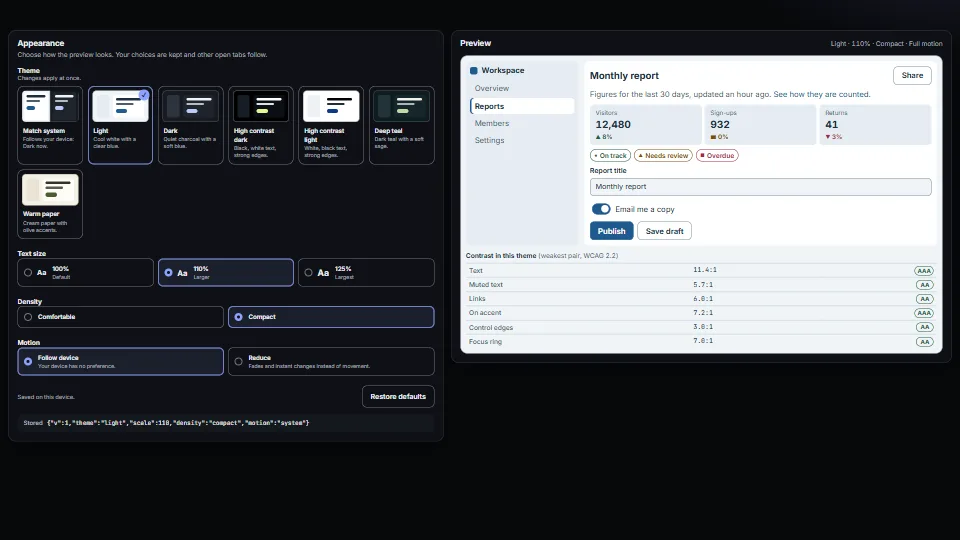
A small appearance system: colour presets as CSS variables (light, dark, two high-contrast, two accent looks), a “Match system” choice that follows the…
 UI & interaction
 UI & interaction
 UI & interaction
 UI & interaction